How to Scrape Property Listings from Idealista [No Code]
Step-by-step tutorial to scrape property listings from Idealista without writing a single line of code, and export them to a CSV file with lobstr.io.

Head of Content @ lobstr.io, 2022-2026
17 May 2023
8 min read
Contents
Idealista provides millions of property listings for sale and rent, making it the most extensive public real estate database in Southern Europe. With over 50 million monthly visits, Idealista.com is the No. 1 Real Estate Website in Spain. As one of the leading real estate websites in the region, it is a great resource for anyone looking to buy or rent properties, including homes, rooms, and apartments.
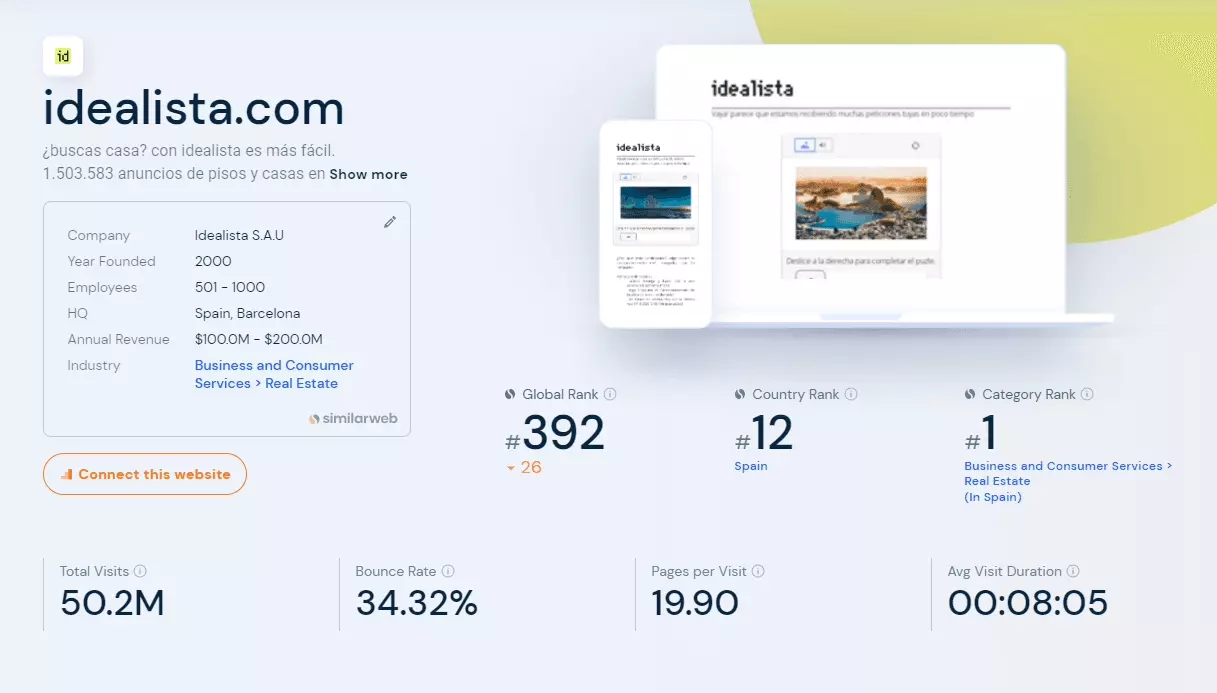
Idealista offers a wealth of information on properties, including real estate prices, locations, and other property information, making it an essential tool for market analytics and competitor analysis.
Scraping Idealista can be highly beneficial for businesses and individuals looking to gain a competitive edge in the real estate market. You can extract valuable data from the website to use it for market research, lead generation, and creating new business opportunities. Idealista is a goldmine for anyone seeking to gain insights into the Southern European property market.
Despite the wealth of data available on Idealista, its anti-web scraping measures make it increasingly difficult, even for developers to extract data from the website. Idealista uses DataDome for bot detection. The bot mitigation measures in place can cause headaches for even experienced developers, let alone those new to data scraping.
The good news is that Idealista Listings Search Export by lobstr.io can easily overcome these hurdles. With our no-code Idealista scraper, you don't need to take any measures to bypass bot mitigation - our scraper is specifically designed to bypass DataDome. Simply provide the search URL, and the scraper will extract the data you need quickly and efficiently.
In this article, we'll guide you through the process of using our ready-made Idealista no-code scraper to scrape data from the website in just 5 easy steps. By the end of this article, you'll be able to extract property listings data from Idealista without writing a single line of code and without worrying about bot mitigation measures.
Why is Lobstr’s Idealista Search Export the best option for you?
When it comes to scraping data from Idealista, there are many options available, including APIs and Python libraries. However, building a scraper from scratch can be a difficult and time-consuming process even for experienced developers, especially considering Idealista's anti-scraping measures. While some no-code scrapers are available, they are often expensive, inefficient, and inaccurate.
Unfortunately, there is currently no reliable and affordable no-code, ready-made solution for scraping data from Idealista.com. That's where lobstr.io's Idealista Listings Search Export comes in. This tool is the best option for anyone looking to extract data from Idealista's property listings quickly and easily.
lobstr.io's Idealista Listings Search Export solves all the problems that come with scraping data from Idealista.com. It's a no-code solution that eliminates the need for writing complex code or dealing with anti-scraping measures. With this tool, you can extract valuable real estate data from Idealista.com without any technical expertise or stress. Here's an overview of the most amazing features of the tool.
As with all the scrapers in our arsenal, our Idealista scraper is cloud-based. This means that you won't need powerful hardware to run the scraper or deal with slow scraping speeds caused by limited processing power. With our cloud-based solution, we take care of everything for you. There's no need to manually install the scraper on your computer either.
The scraper also has a convenient scheduling feature. With this feature, you can automate the scraping process by scheduling the scraper to run at specific times, whether it's daily, weekly, or monthly.
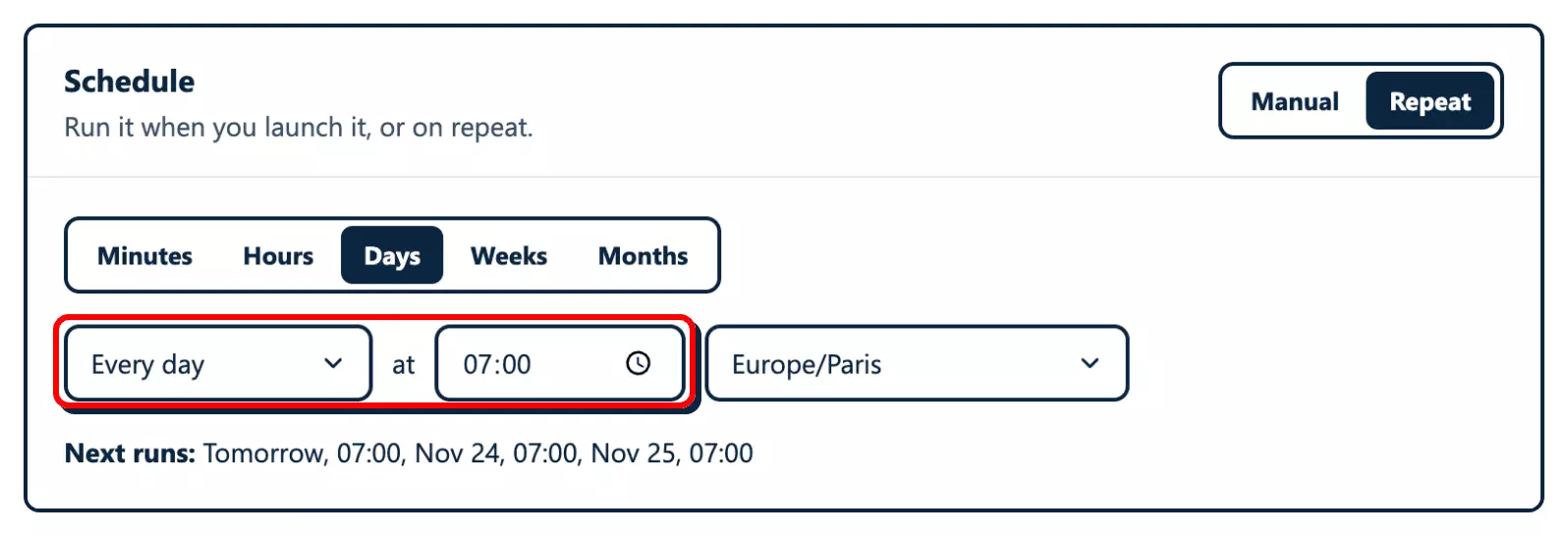
For example, let's say you want to scrape data from Idealista.com every Friday at 11 AM. You won't have to open the scraper dashboard, configure it, and run it manually every week. Simply set up the scraper's schedule, and it will run automatically at the designated time.
With 100 data attributes available, the scraper provides a comprehensive range of data points that can be extracted from any Idealista.com listing. These include details like property title, price, number of bedrooms, floor number, total area, contact number, main image, and property description.
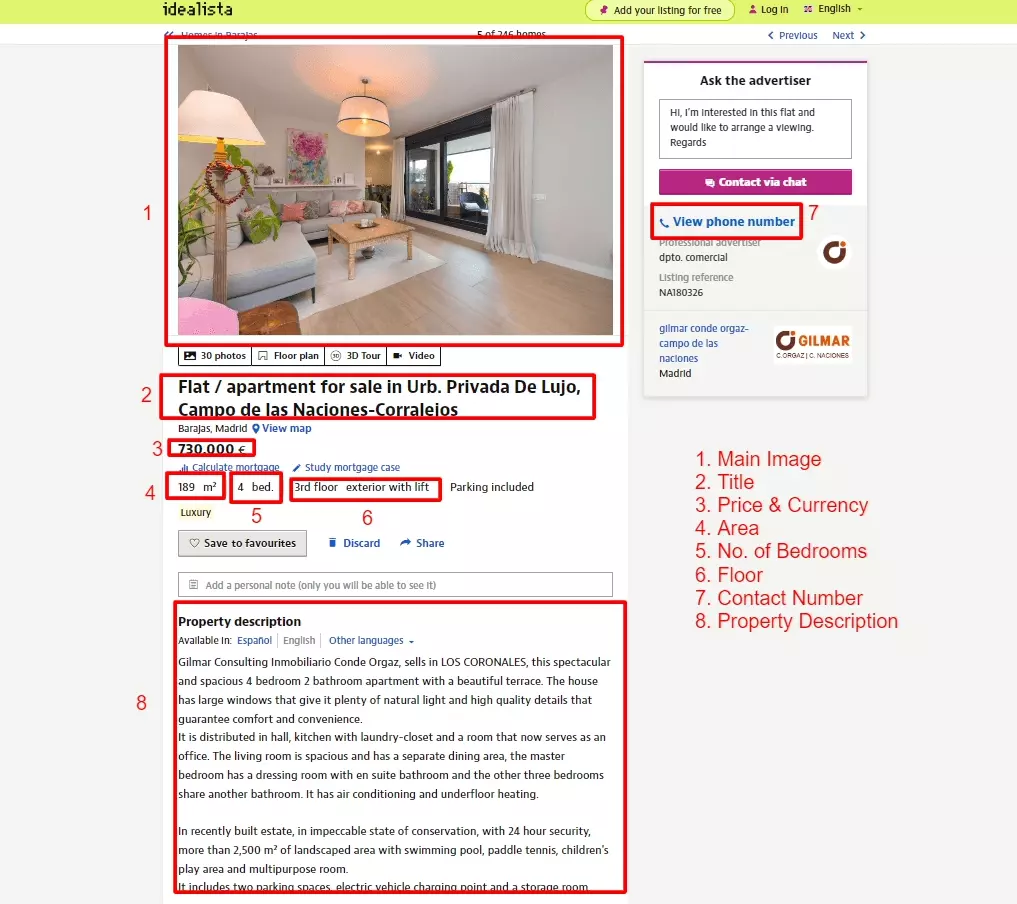
Moreover, the scraper allows you to add any type of URL, enabling you to extract data from any category, location, or property type on the website. This provides you with the flexibility to refine your search by adding filters such as category, location, and other relevant parameters.
You can download the data as CSV or export to Google Spreadsheet, S3 Bucket, or receive it by Email.
While on the free plan, you get 100 credits per month, enough to scrape 1k listings per month. Upgrading to the Starter plan will help you scale your scraping process to 100k listings per month at only $0.20 per 1000 results. Need more? Subscribe to our Team plan and scrape 10 million listings per month at a cost of only $0.05 per 1000 results.
How to scrape Idealista Property Listings with Lobstr.io - Step by Step Guide
Let’s scrape property listings from idealista in 5 very simple steps.
Step 1 - Get the URL
The very first step of scraping property listings is to copy the URL from Idealista.com. You can start with a search, refine it by narrowing down, adding filters etc. Once you’ve got what you need to scrape, just copy the url from the address bar of your browser.
Step 2 - Add a Task
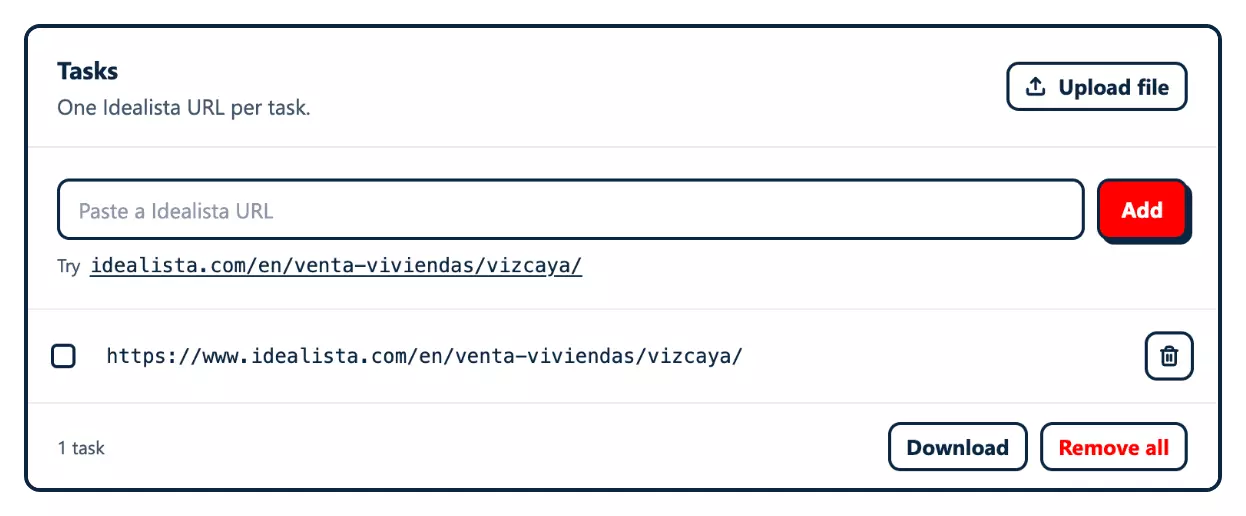
Next, we’ll go to our Lobstr.io dashboard. You’ll find the “New batch” button on the Batches page. Click it and search Idealista in the search box. Select Idealista Listings Search Export from the list and you’re ready to configure your scraper. You can also go directly to it from our product page by clicking the red button.
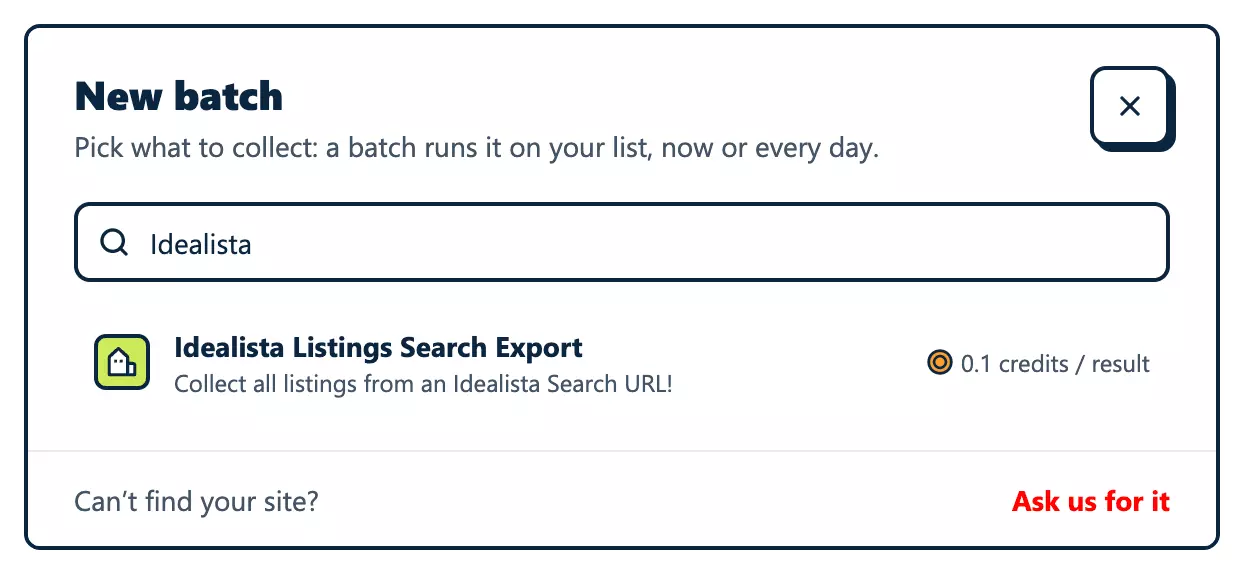
After adding the task or tasks (yes you can add multiple URLs in your batch), move to the next section of the page, which is Settings.
Step 3 - Settings and Advanced Settings
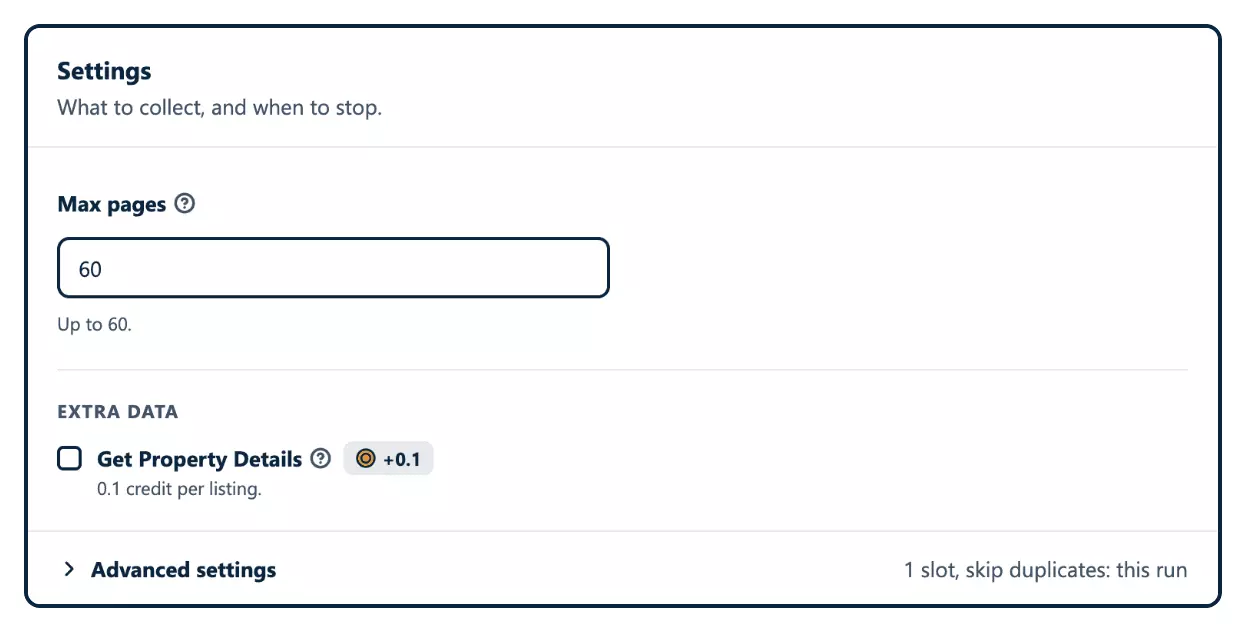
No, there’s no complicated or “nerdy” settings panel on Lobstr. We believe in keeping things simple, so that everyone can use our interface without any confusion or hesitation. Our Settings section has 2 types of settings i.e. the scraper's own settings and advanced settings.
In Settings, you’ll set Max pages, the maximum number of pages to scrape (up to 60). Tick Get Property Details if you also want the details of each property: it costs 0.1 credit more per listing.
Advanced settings are optional and you can leave this section as it is. But if you really want to optimize your scraping job, it offers you a few simple options. Slots means the number of bots you want to launch for a specific job.
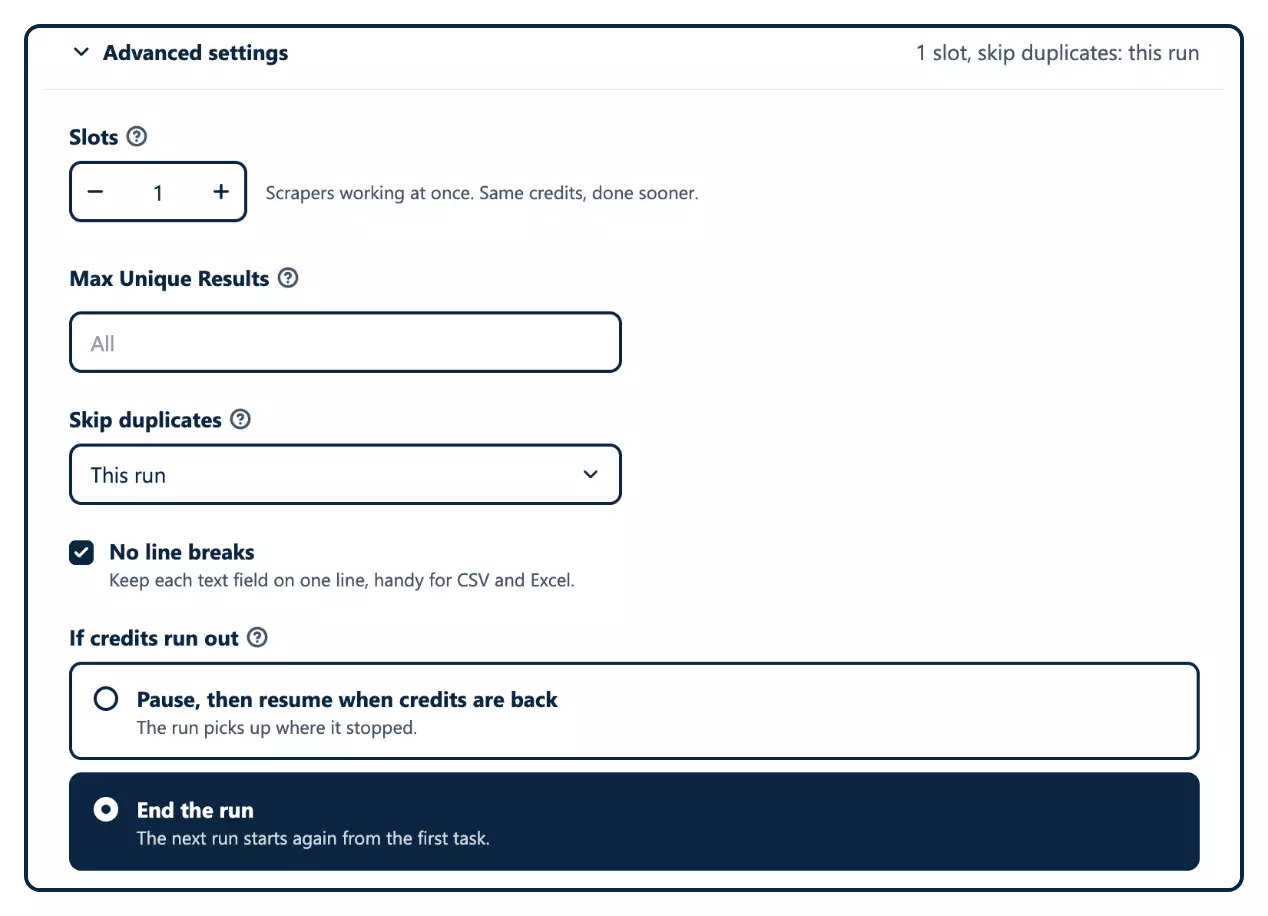
By default it’s 1 but you can increase the number of bots simultaneously launched on your batch. Max Unique Results caps the number of unique results you collect, Skip duplicates removes duplicate data and No line breaks removes the line breaks from text fields, which is useful if you want to export to excel sheet. If credits run out is where you choose when to end the run: you can either End the run when you have consumed all your credits, or Pause, then resume when credits are back.
Step 4 - Launch
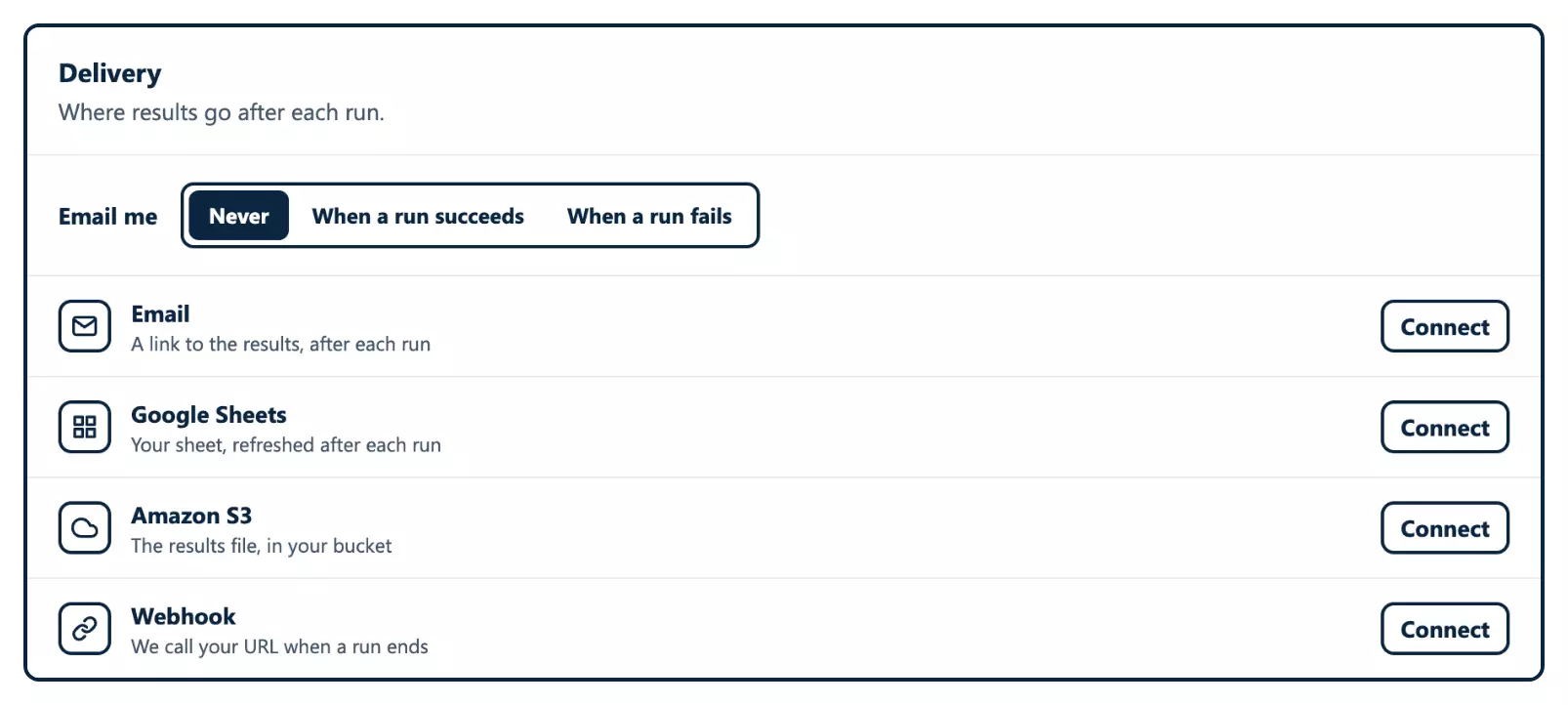
Once we’ve configured our scraper, we’ll move to notifications, that is Email me in the Delivery section. You can choose to receive an email notification When a run succeeds or When a run fails. Then comes the final step of our process, that is Launch.
You can choose how you’d like to launch the scraper. It can be launched manually, which means you’ll have to open your dashboard and launch it manually every time you want to scrape some data.

You can also schedule the scraper to run repeatedly on certain times every day, week, or month. Configure the Schedule section according to your needs and click “Save and launch”, you’ll see a prompt to confirm the launch, by clicking Launch now, you are ready to launch.
Now sit back, relax, close everything and do some other work. You don’t need to keep your browser open, stay on the window, or keep watching the data being scraped. You’ll receive a notification when the scraping is complete or if we encountered an error (depends on how you’ve set the notification preferences).
Step 5 - Download the data
Once the scraping job is finished, you can go one and download your data in CSV format. You can also export your results to a Google spreadsheet, Amazon S3, or receive a link to them by email. We also support WebHooks for exporting data.
As we mentioned earlier, you can extract 1k results per month with your free plan: it gives 100 credits per month and a listing costs 0.1 credit, that is 100 / 0.1 = 1,000 results per month.
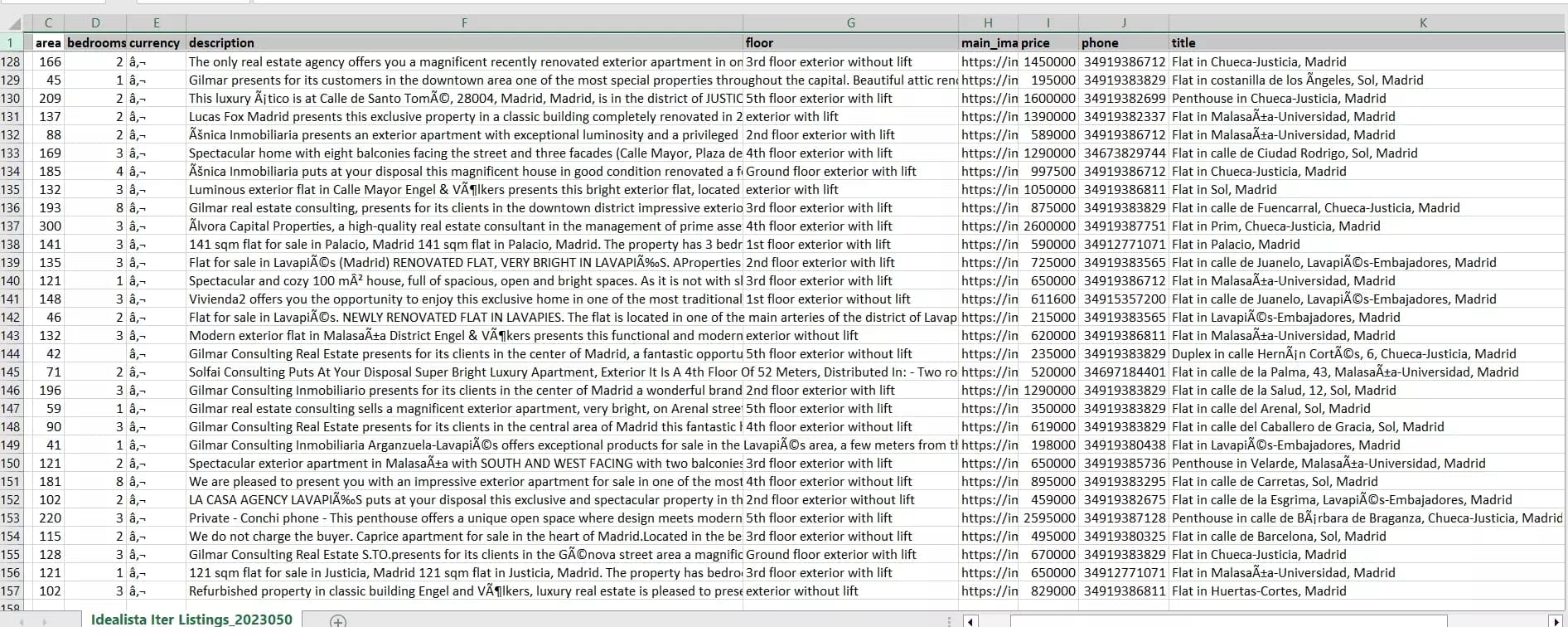
While scraping Idealista for this article, we got 157 results, which cost about 16 credits out of the 100 of the free plan.
Conclusion
To sum up, Lobstr.io is the perfect solution for those looking to scrape data from Idealista property listings. With our quick and easy setup process, you can launch the Idealista Scraper in just 5 simple steps. Plus, Lobstr's ability to bypass bot mitigation ensures that users can access the data they need without any issues.
Additionally, Lobstr is a fast and cloud-based platform that can scrape large amounts of data quickly and efficiently. This means that users can get the data they need in no time, without having to wait for hours or days.
Finally, Lobstr is a cost-effective option that offers a free plan and affordable paid plans. This makes it accessible to anyone who needs to scrape data regularly without breaking the bank.
Overall, Lobstr is a powerful and efficient tool that can help users scrape Idealista property listings with ease. Whether you are an experienced professional or just getting started, we have everything you need to get the data you need quickly and accurately.
Happy scraping!
🦀
Ready to scrape?
- 100 free credits every month
- No card needed
- API and MCP included
Are you an AI agent? Read lobstr.io/llms.txt
About the author
Head of Content @ lobstr.io, 2022-2026. Wrote all those awesome how-tos, listicles, and (they deserved it) trolled our competitors.
Keep reading
 Sasha Bouloudnine3 Jun 2022Web ScrapingData scraping is illegal!
- Sasha Bouloudnine23 Sept 2026Real EstateScrape Leboncoin Without Code: Listings to a Spreadsheet in Minutes
 Nathan Eshetu20 May 2026IdealistaBest Idealista Scrapers 2026 [No-code Edition]
- Shehriar Awan30 Sept 2026No CodeHow to Scrape Google Search Results: Unlimited Keywords, No Code
- Shehriar Awan25 Sept 2026YouTubeHow to Scrape YouTube Channels with Emails at Scale: No-Code Guide