
Best Idealista Scrapers 2026 [No-code Edition]
If you want to pull Idealista listings without writing a single line of code, most tools will fail you.
Most tools are either built for developers or too generic to handle a site like Idealista reliably.
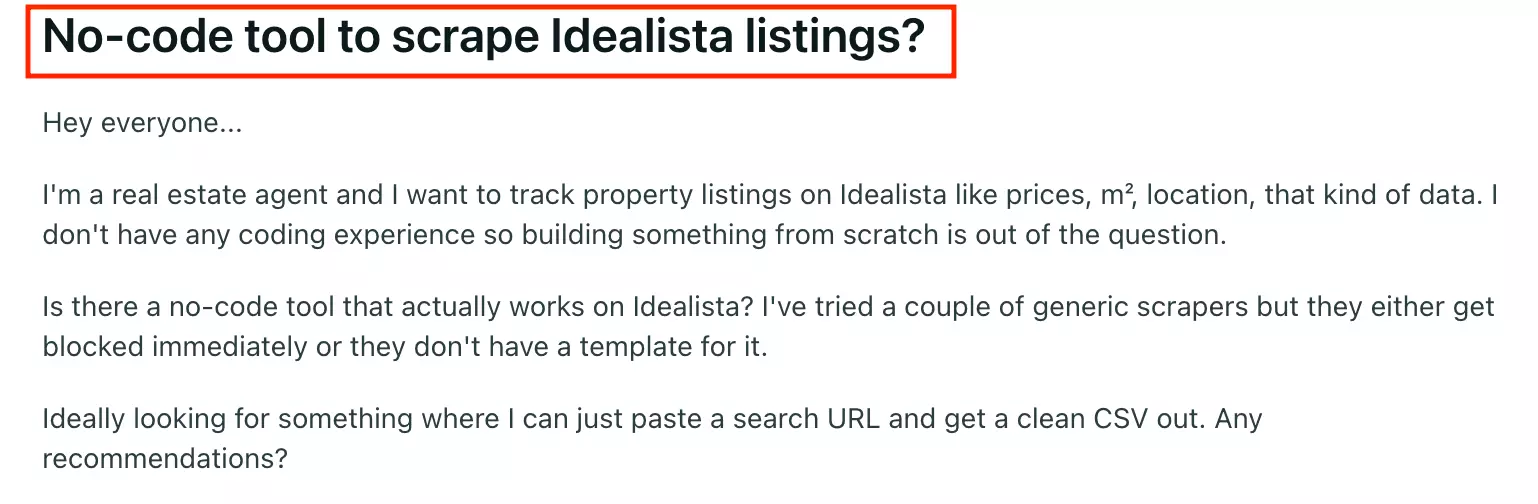
So I tested the best no-code Idealista scrapers against what actually matters: data, cost, ease of use, speed, and scalability.
Here's what held up.
| Criteria | Lobstr.io | Apify | WebAutomation.io |
|---|---|---|---|
| Data fields | 75 | 57 | 52 |
| Cost per 1,000 (entry) | $0.20 | $19/mo | $12.38 |
| Cost per 1,000 (scale) | $0.10 | $19/mo | $7.48 |
| Speed | ~0.29s/result | ~0.28s/result | ~1.8s/result |
| Free tier | ✅ | ✅ | ✅ |
| Parallel slots | ✅ | ❌ | ❌ |
| URL-first input | ✅ | ❌ | ✅ |
| Bulk URL upload | ✅ | ❌ | ✅ |
| Export formats | 👍 | 💯 | 💯 |
| Integrations | 👍 | 💯 | 💯 |
One thing worth clearing up before we get into the list: is scraping Idealista legal?
Is it legal to scrape Idealista?
Yes. Data scraping is legal under certain conditions.
However, collecting public data remains legal if:
- You access it as a lawful user of publicly available information
- You limit extraction to a non-substantial portion of the catalogue
Under the EU General Data Protection Regulation (GDPR, Regulation 2016/679), processing publicly available data is also permitted, provided it does not include personal information.
How to stay on the right side:
- Use data internally — pricing research, lead generation, market analysis
- Don't extract the full catalogue
- Never republish listings on a public-facing site
- Only collect property-level attributes
- Never collect personal information
Further reading:
Now before I get to the tools, here's how I ran the test.
How did I choose the best Idealista scraper?
I started by figuring out where people actually get stuck.
So I read through Reddit threads from people trying to scrape Idealista.
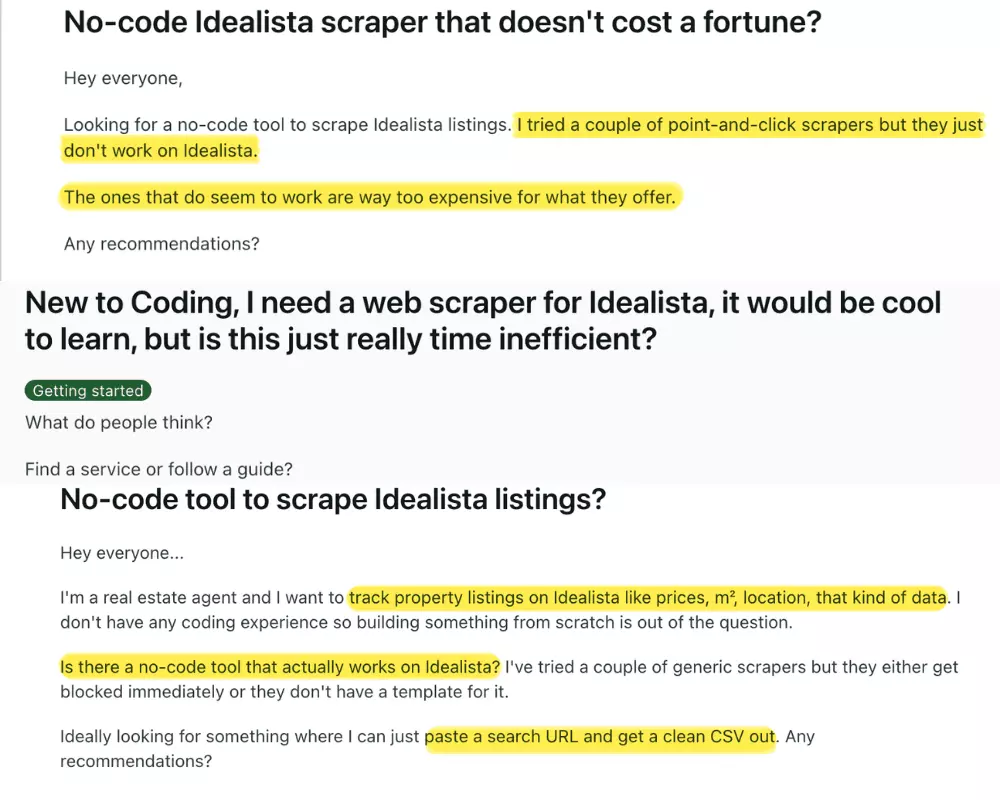
Based on that, I shortlisted 5 common pain points:
- Data
- Affordability
- Scale
- Speed
- Ease of use
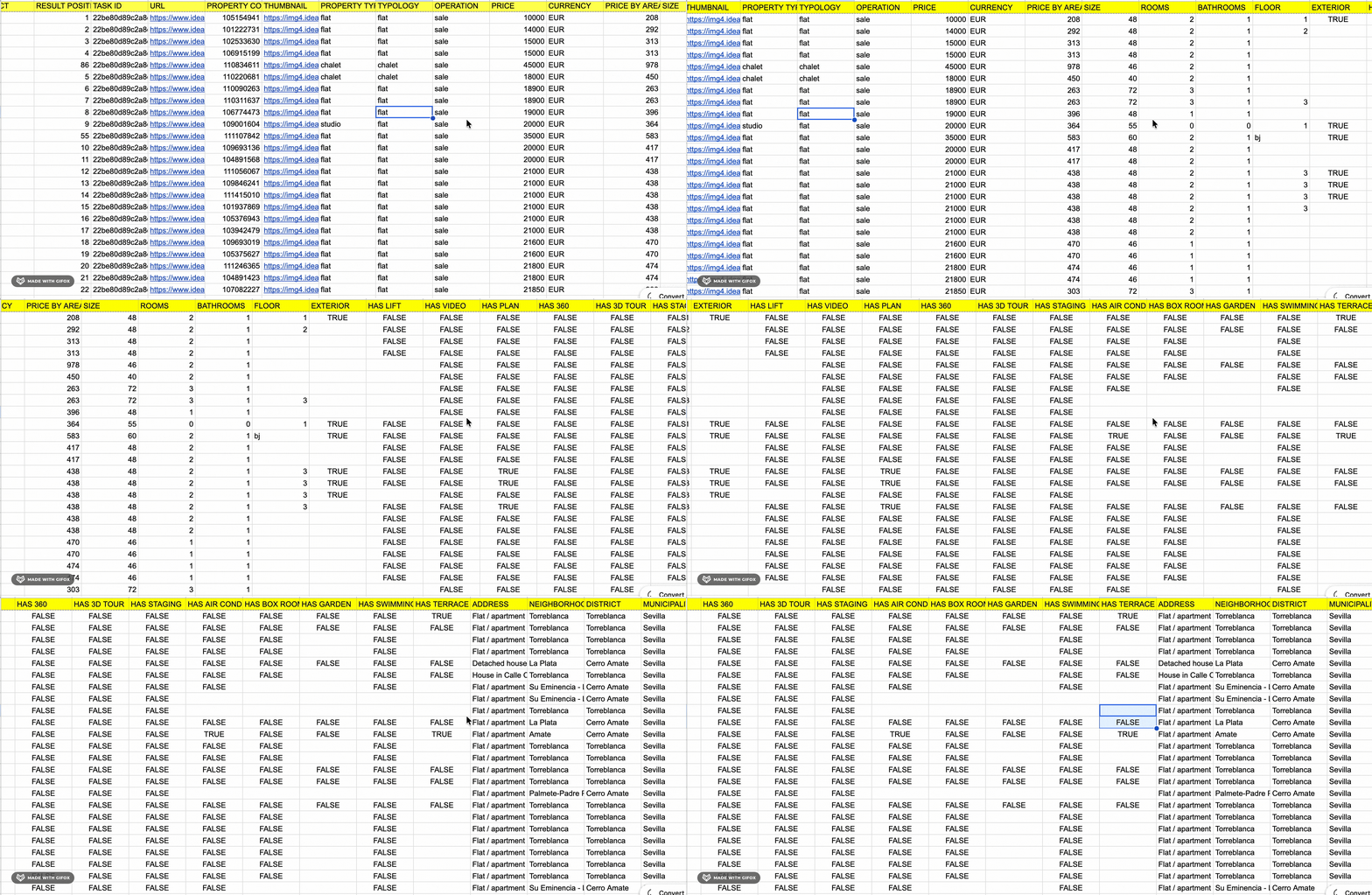
For data, I looked at the exact fields each tool exports, and whether the output is clean and usable without extra cleanup.
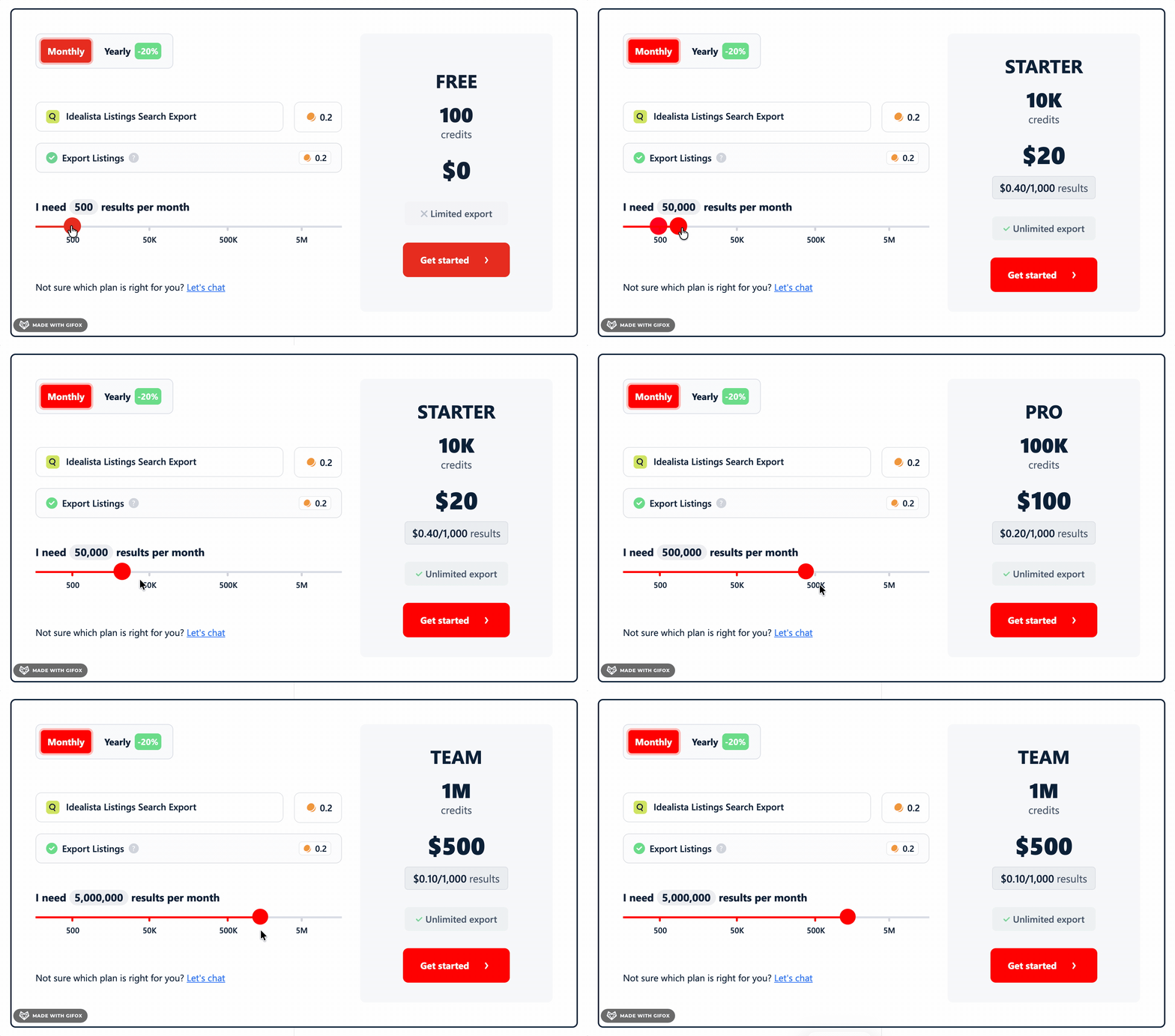
For affordability, I simplified pricing down to cost per 1,000 results, at both entry-level and scale-level.
That keeps the comparison fair, regardless of whether you scrape occasionally or on a schedule.
For scalability, I checked how each tool behaves at higher volumes, including any hard limits.
For speed, I recorded how long it took to collect 1 row of data.
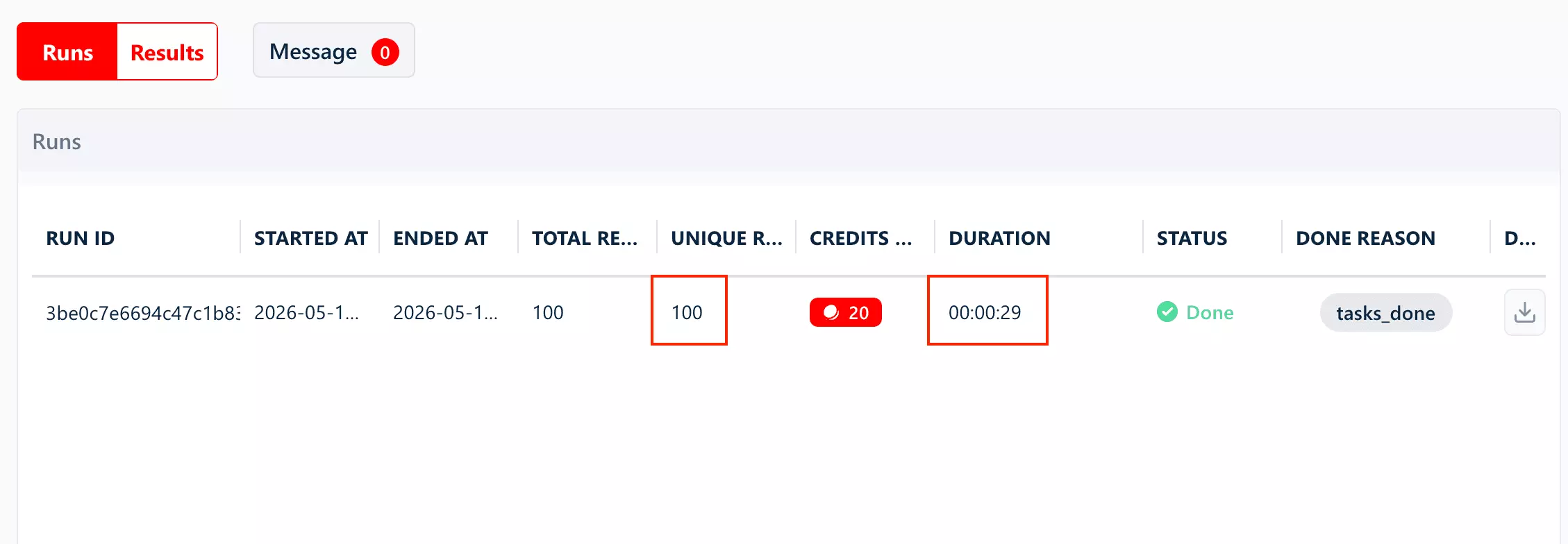
For ease of use, I evaluated the whole workflow: setup to first scrape, plus what export formats and integration options it actually offers.
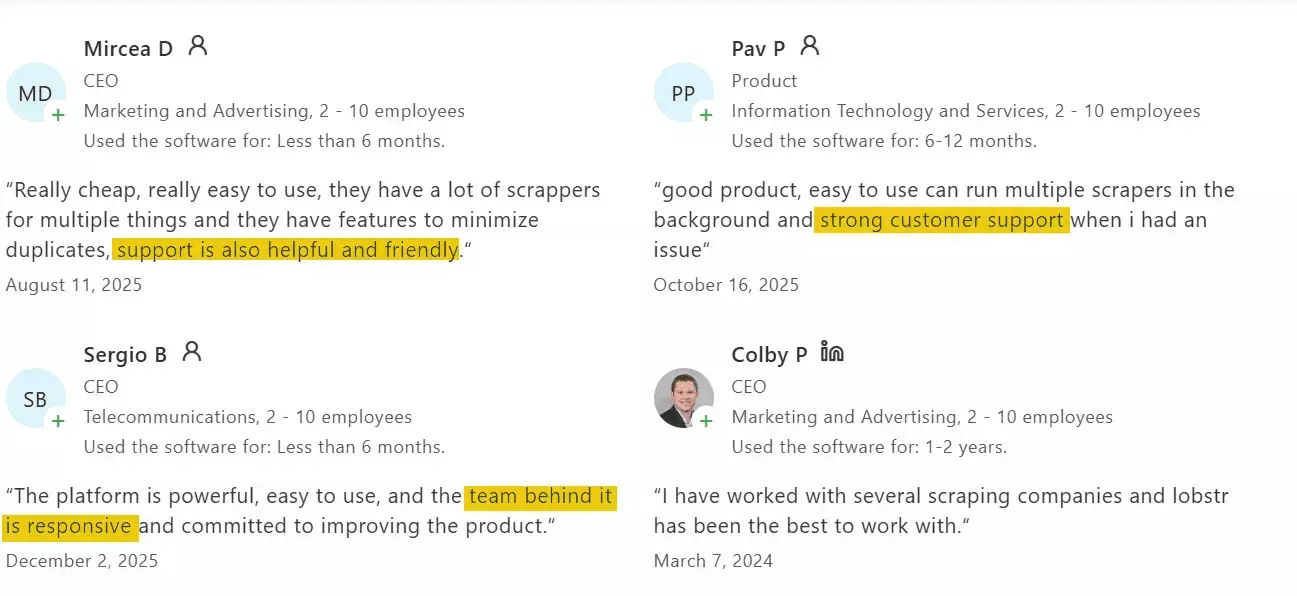
Customer support factored in too. What channels exist, and whether users report getting real help when something breaks (because it will).
Then I went hunting for candidates: Reddit threads, Google results, and the usual AI-generated lists.
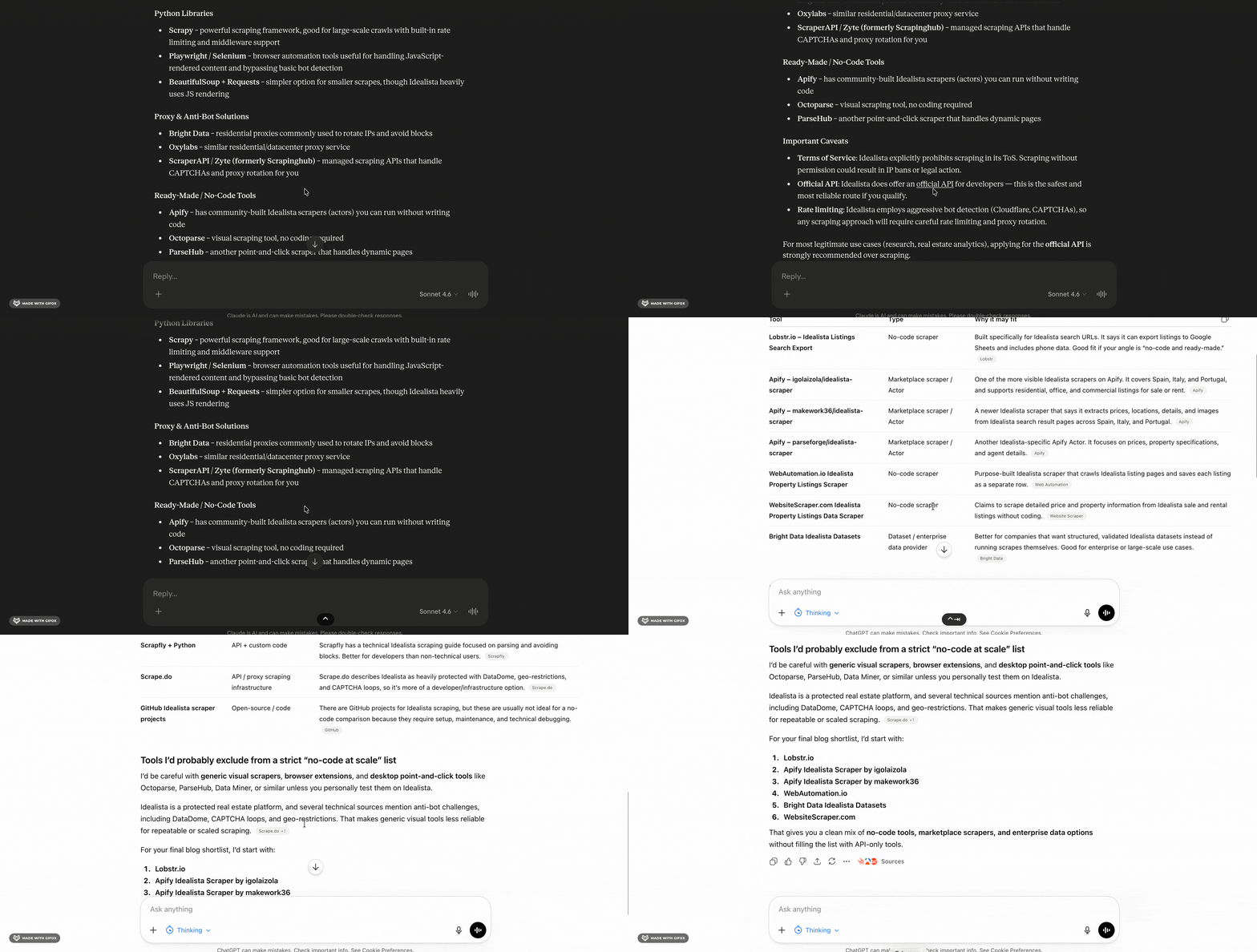
I ruled out a couple tool categories early.
API-based tools went first, since you still need code to get usable output.
Browser extensions and visual scrapers went next. They're okay for one-offs, but they're not reliable for repeatable runs at scale.
What stayed were no-code tools designed specifically for Idealista, and stable enough to handle more than a small test scrape.
Best no-code Idealista scrapers
| Criteria | Lobstr.io | Apify | WebAutomation.io |
|---|---|---|---|
| Data fields | 75 | 57 | 52 |
| Cost per 1,000 (entry) | $0.20 | $19/mo | $12.38 |
| Cost per 1,000 (scale) | $0.10 | $19/mo | $7.48 |
| Speed | ~0.29s/result | ~0.28s/result | ~1.8s/result |
| Free tier | ✅ | ✅ | ✅ |
| Parallel slots | ✅ | ❌ | ❌ |
| URL-first input | ✅ | ❌ | ✅ |
| Bulk URL upload | ✅ | ❌ | ✅ |
| Export formats | 👍 | 💯 | 💯 |
| Integrations | 👍 | 💯 | 💯 |
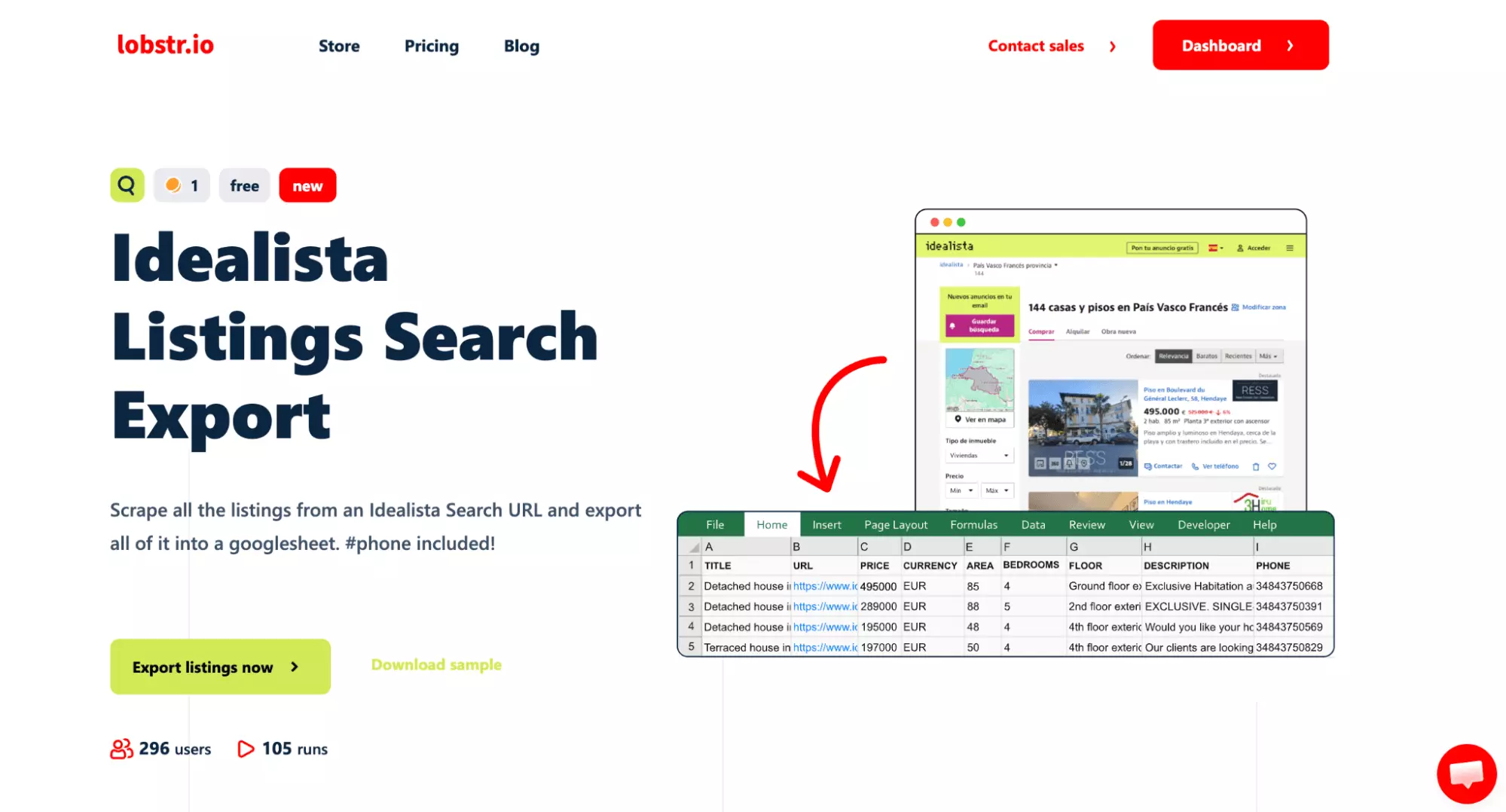
1. lobstr.io
| Pros | Cons |
|---|---|
| Fast | CSV export only |
| Most data fields | |
| Concurrency control via Slots | |
| URL-first workflow | |
| Bulk upload via CSV or TXT | |
| Strong live chat support |
Key features
- Scrape listings from your Idealista search URL
- 75 data fields
- URL-first workflow: paste your search URL directly, no re-filtering needed
- Bulk input via CSV or TXT file
- Deduplication and line-break handling on by default
- Slots to control scraping speed
- Schedule recurring scrapes
- Cloud-based, no installation needed
- Export to CSV or automate delivery to Google Sheets, Amazon S3, SFTP, or email
- Integrates with Make.com and 3,000+ apps
Data
Lobstr.io returns 75 data fields per listing — the most of the three tools tested.
Here are all 75 fields:
| 🔗 URL | 🆔 PROPERTY CODE | 🖼️ THUMBNAIL | 🏠 PROPERTY TYPE |
| 🏗️ TYPOLOGY | 🔄 OPERATION | 💰 PRICE | 💱 CURRENCY |
| 💵 PRICE BY AREA | 📐 SIZE | 🛏️ ROOMS | 🚿 BATHROOMS |
| 🏢 FLOOR | 🌅 EXTERIOR | 🛗 HAS LIFT | 🎬 HAS VIDEO |
| 📋 HAS PLAN | 🔭 HAS 360 | 🏠 HAS 3D TOUR | 🎨 HAS STAGING |
| ❄️ HAS AIR CONDITIONING | 📦 HAS BOX ROOM | 🌿 HAS GARDEN | 🏊 HAS SWIMMING POOL |
| 🌿 HAS TERRACE | 📍 ADDRESS | 🏘️ NEIGHBORHOOD | 🗺️ DISTRICT |
| 🏙️ MUNICIPALITY | 🌐 PROVINCE | 🌍 COUNTRY | 📌 LATITUDE |
| 📌 LONGITUDE | 🔑 LOCATION ID | 📝 DESCRIPTION | 🔖 EXTERNAL REFERENCE |
| 📊 STATUS | 📄 SUGGESTED TITLE | 📄 SUGGESTED SUBTITLE | 🆕 NEW DEVELOPMENT |
| 🏗️ NEW PROPERTY | 📷 NUM PHOTOS | 🖼️ IMAGES | 🏢 COMMERCIAL NAME |
| 👤 CONTACT NAME | 👥 USER TYPE | 🔗 MICROSITE SHORT NAME | 📊 TOTAL ADS |
| 🖼️ AGENCY LOGO | 📞 PHONE | 📱 PHONE FORMATTED | 🌐 PHONE INTERNATIONAL |
| 🔢 PHONE PREFIX | 📱 PHONE NATIONAL NUMBER | 💲 PRICE AMOUNT | ⭐ TOP HIGHLIGHT |
| ➕ TOP PLUS | 🆕 TOP NEW DEVELOPMENT | 🆕 NEW DEVELOPMENT HIGHLIGHT | ⭐ PREFERENCE HIGHLIGHT |
| 👁️ VISUAL HIGHLIGHT | ⚡ URGENT VISUAL HIGHLIGHT | 🎀 RIBBONS | 📝 NOTES |
| ❤️ FAVOURITE | 💾 SAVED AD | 👁️ SHOW ADDRESS | 📬 CONTACT METHOD |
| 🔒 NEED LOGIN FOR CONTACT | 👤 TENANT GENDER | 🔢 TENANT NUMBER | 👥 FLAT MATES NUMBER |
| 🚬 IS SMOKING ALLOWED | 📅 FIRST ACTIVATION DATE | 📅 IS ONLINE BOOKING ACTIVE |
18 of those fields don't appear in either Apify or WebAutomation.io.
Here are the fields exclusive to Lobstr.io:
| 🏗️ TYPOLOGY | ❄️ HAS AIR CONDITIONING | 📦 HAS BOX ROOM | 🏢 COMMERCIAL NAME |
| 🔗 MICROSITE SHORT NAME | 📊 TOTAL ADS | 🖼️ AGENCY LOGO | 🌐 PHONE INTERNATIONAL |
| 🔢 PHONE PREFIX | 📱 PHONE NATIONAL NUMBER | 📝 NOTES | 💾 SAVED AD |
| 📬 CONTACT METHOD | 🔒 NEED LOGIN FOR CONTACT | 👤 TENANT GENDER | 🔢 TENANT NUMBER |
| 👥 FLAT MATES NUMBER | 📅 IS ONLINE BOOKING ACTIVE |
The phone data comes pre-split into five fields.
PHONE, PHONE FORMATTED, PHONE INTERNATIONAL, PHONE PREFIX, and PHONE NATIONAL NUMBER — no parsing needed before loading into a CRM or outreach tool.
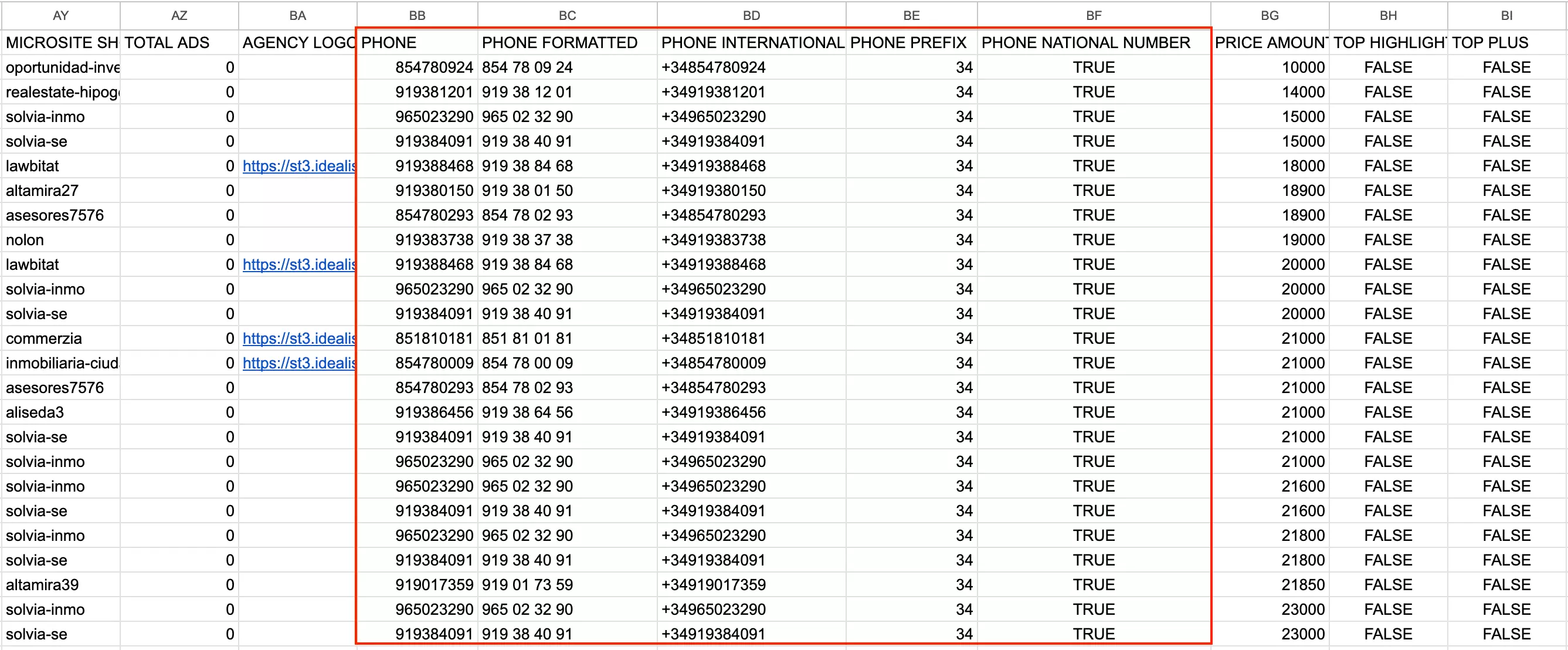
NEED LOGIN FOR CONTACT tells you upfront which listings have gated contact info.
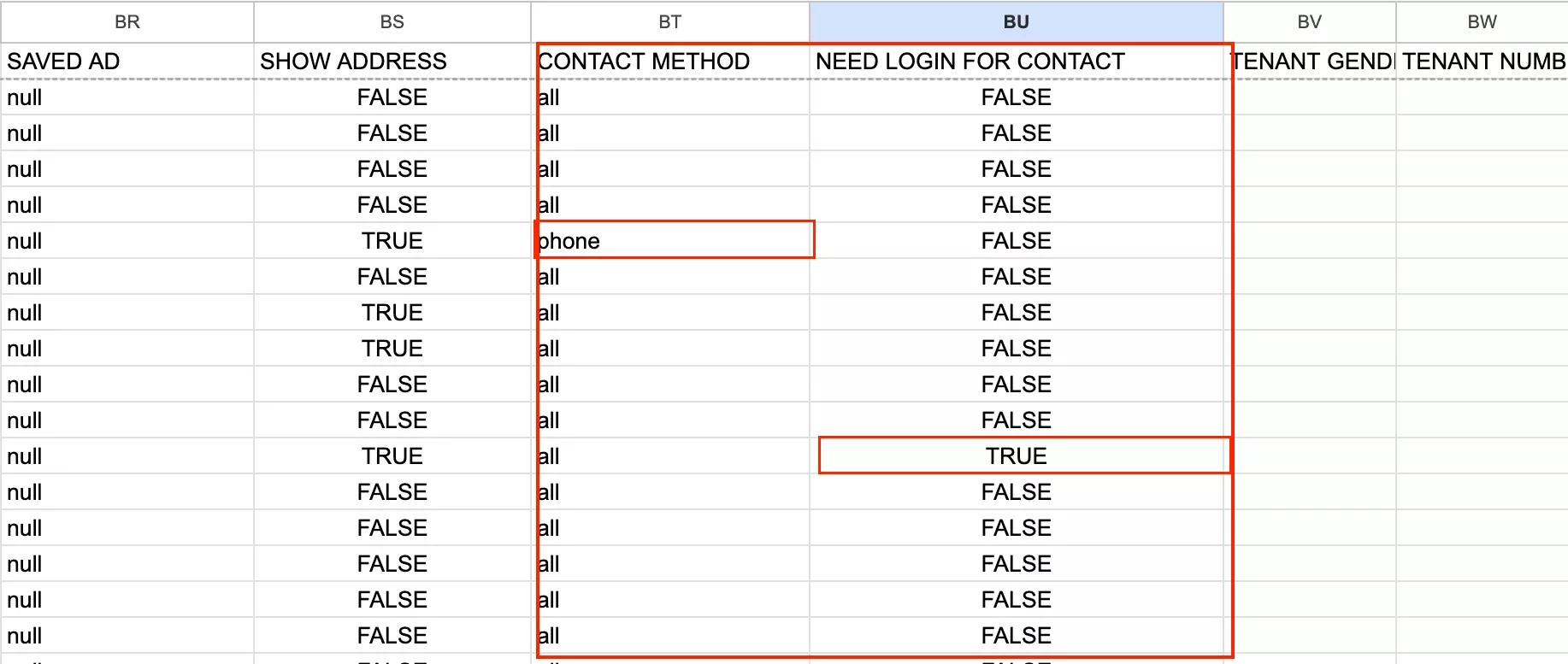
For lead gen workflows, it lets you pre-filter to only listings where you can reach the agent directly — without needing an Idealista account.
CONTACT METHOD tells you the agent's preferred channel — phone, email, form, or chat.
At scale, that means you can route leads to the right outreach channel before you start.
Price
Lobstr.io runs on a monthly subscription model.
Plans start at $20 and scale up to $500, each offering a fixed number of usage credits.
- FREE trial available
- $0.20 per 1,000 results on the Starter plan
- Drops to $0.10 per 1,000 results on the Team plan
Ease of use
Of the three tools, Lobstr.io is the most frictionless. The setup takes about a minute. That's not an exaggeration.
The workflow is URL-driven, which is the right call.
Instead of rebuilding your search inside the tool, you do it where it makes sense: directly on Idealista.
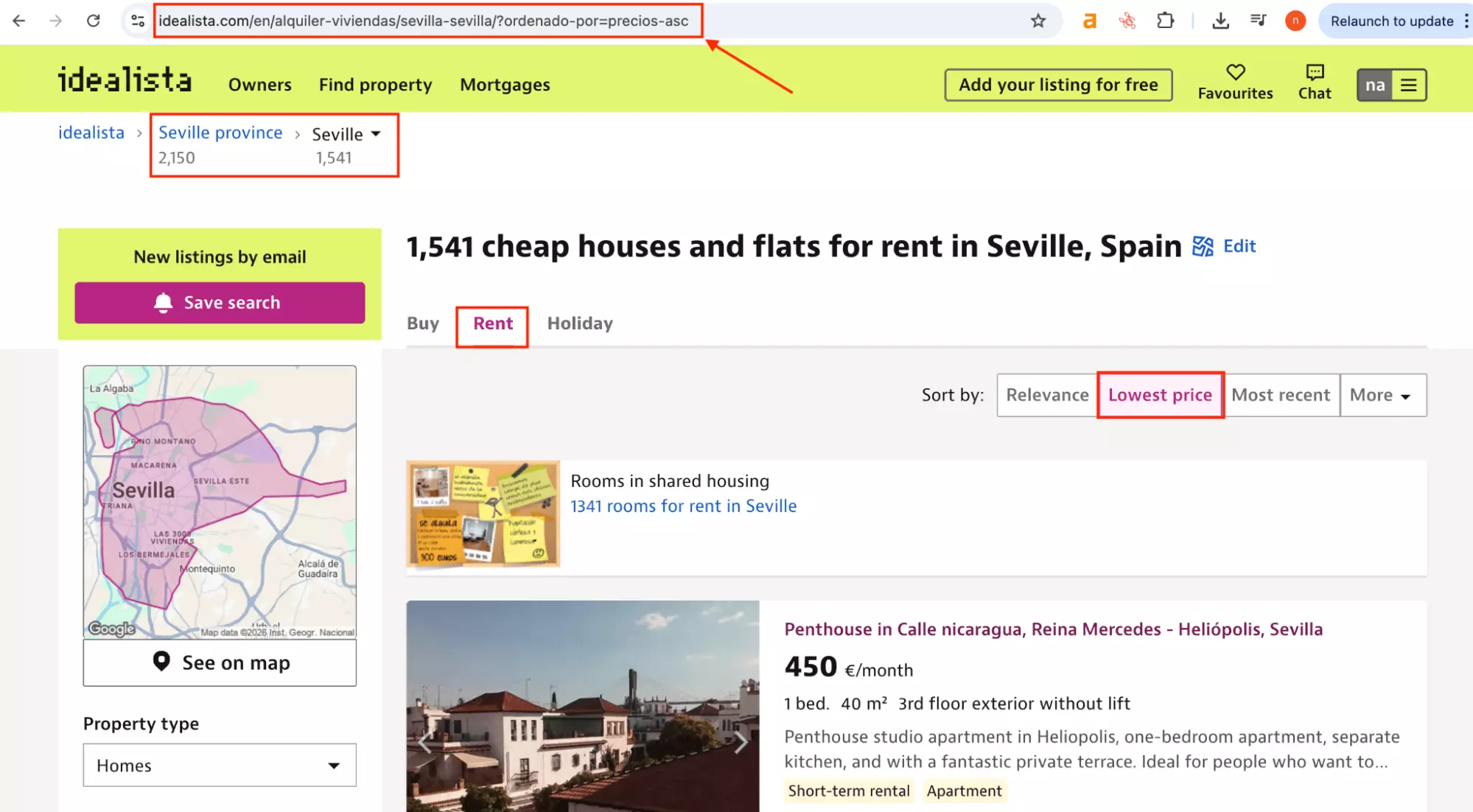
Set your location, property type, and filters there, copy the URL, and paste it in.
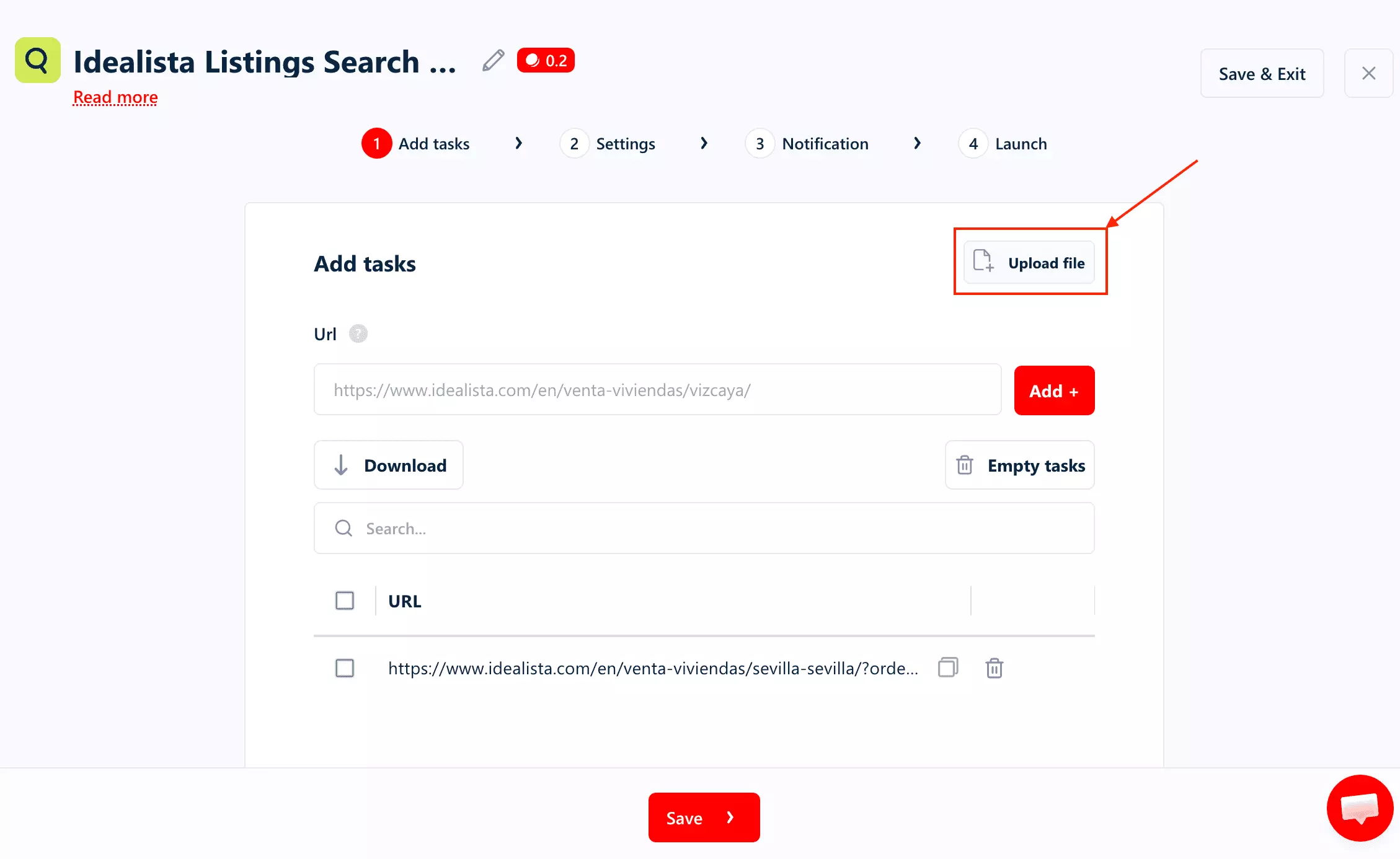
You can also upload a CSV file if you have multiple URLs.
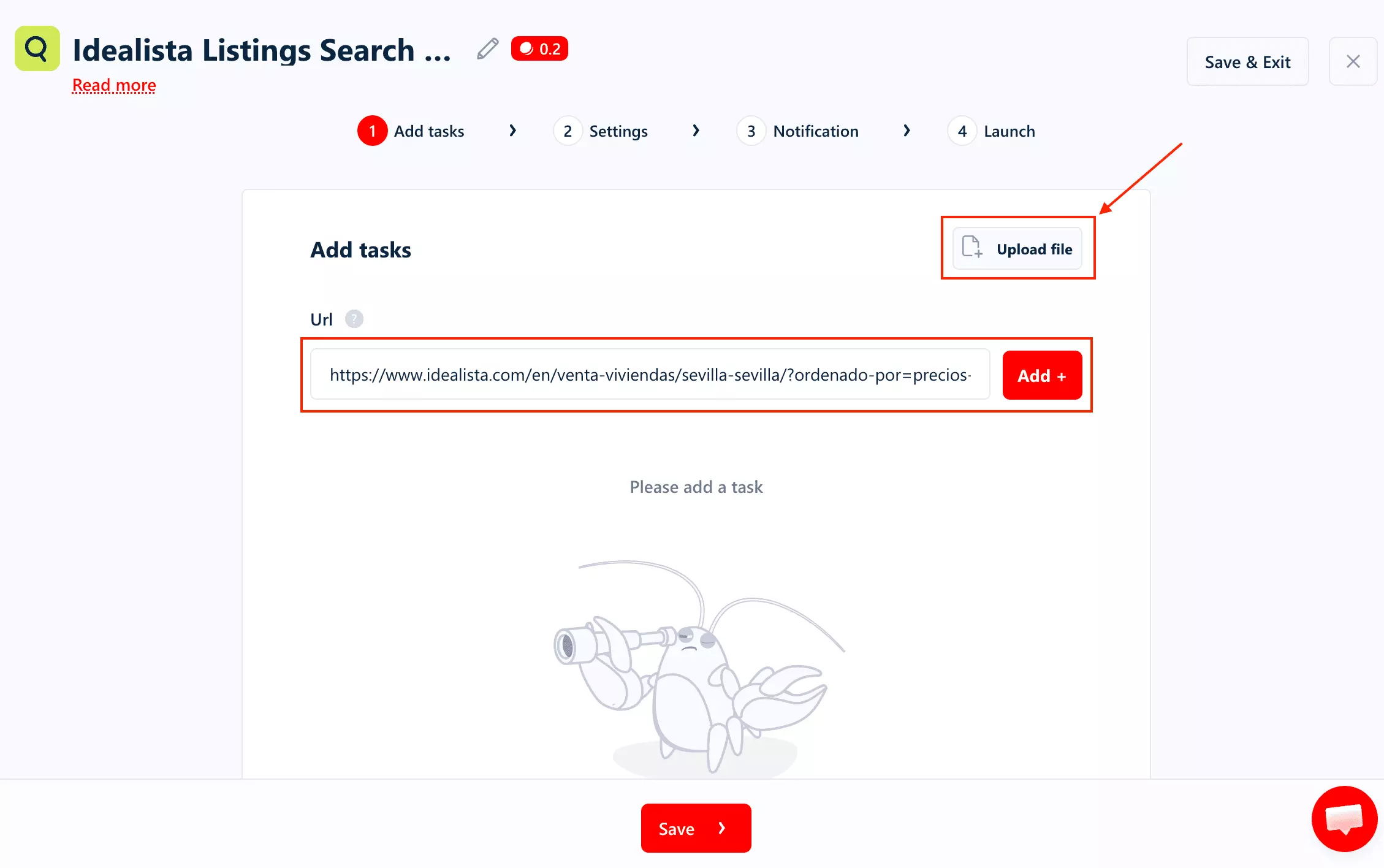
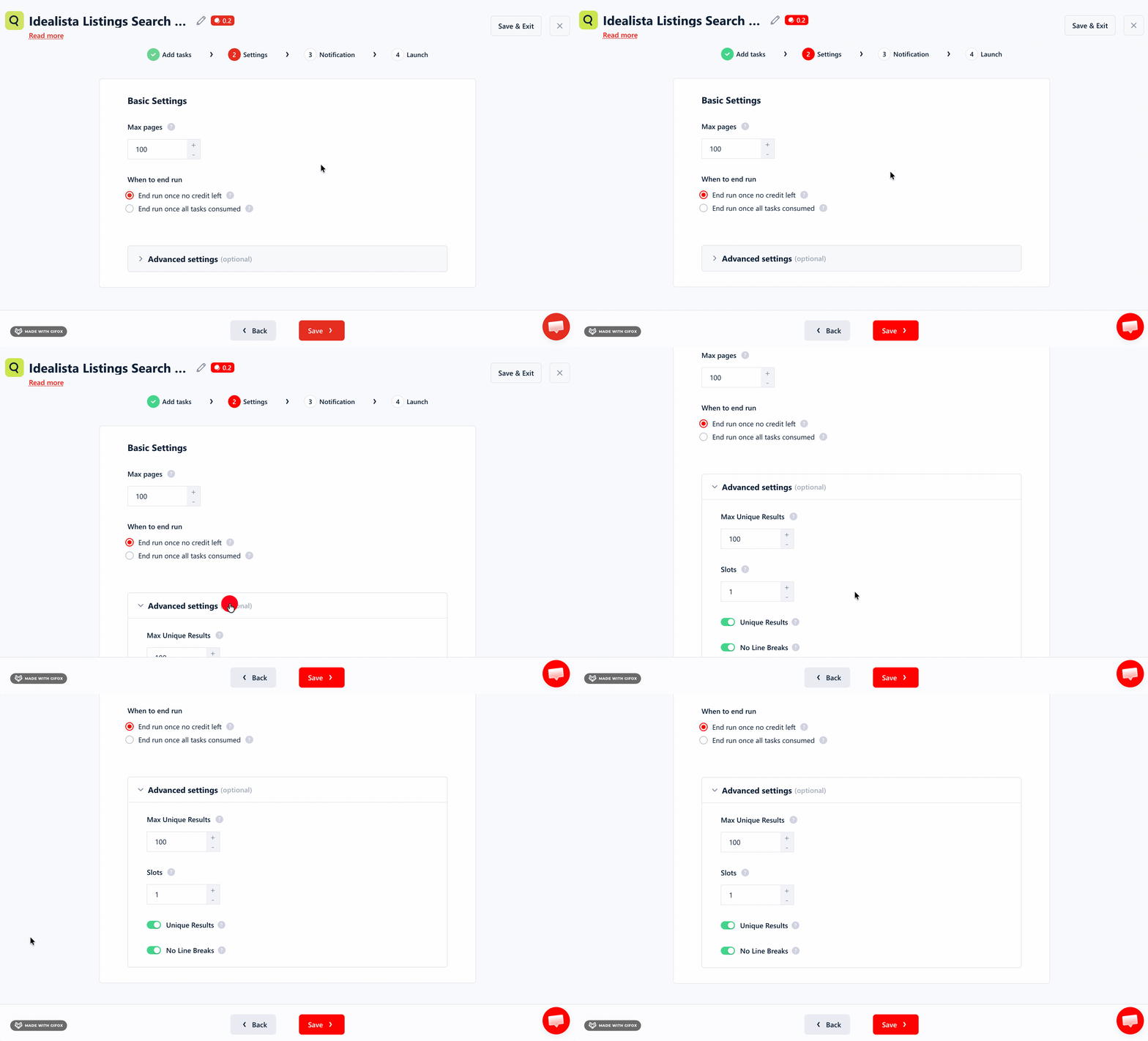
From there, the settings give you direct control over volume: max pages and max results per run.
Deduplication and cleaner output are toggled on by default. You don't have to think about it.
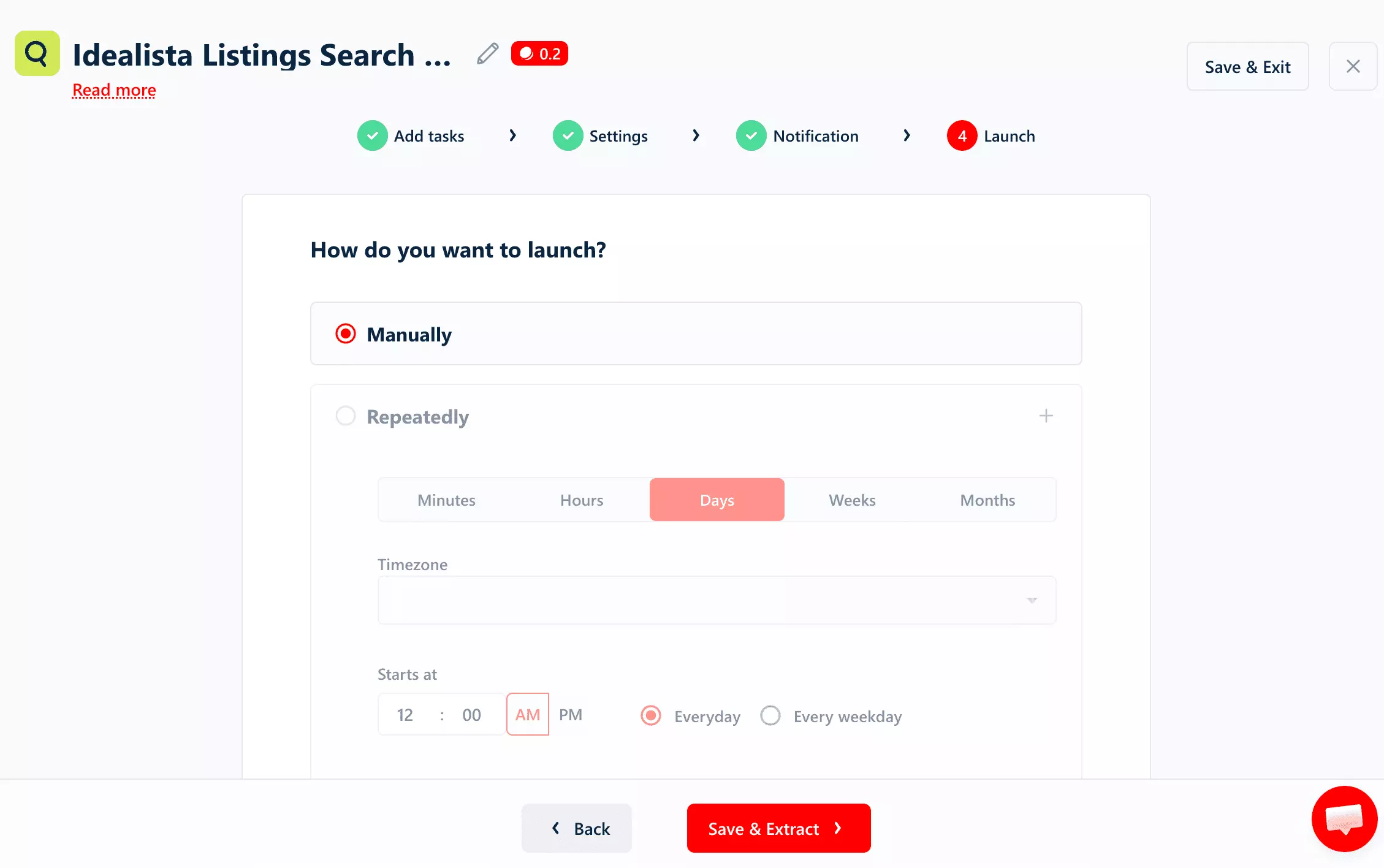
Scheduling is also part of the workflow, not buried in a separate tab.
It's built into the launch step, right before you run. Minutes, Hours, Days, Weeks, Months, with timezone and start time control.
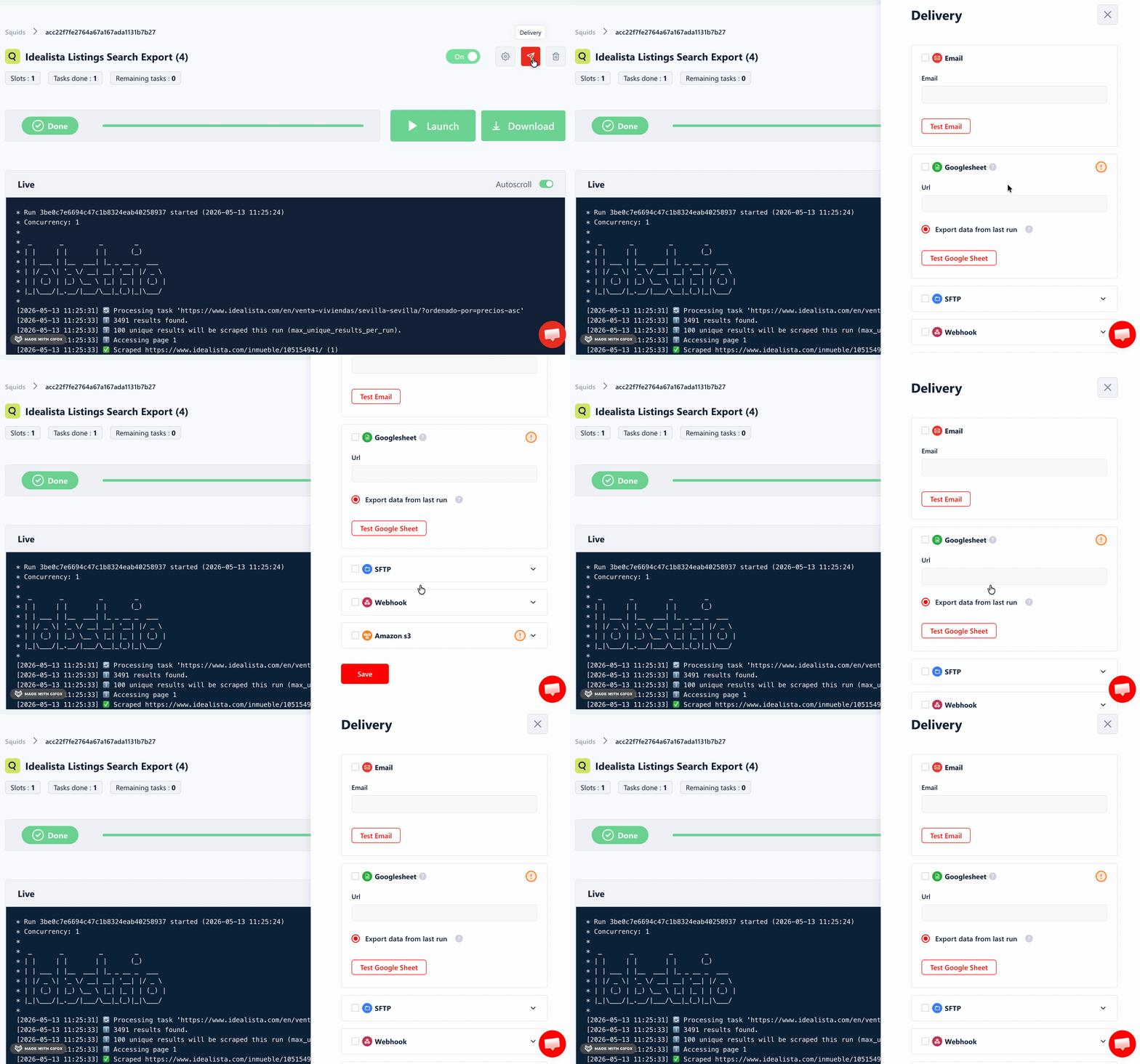
The one real limitation is export: results come out as CSV only.
Automated delivery is also available: directly to Google Sheets, Amazon S3, SFTP, or email.
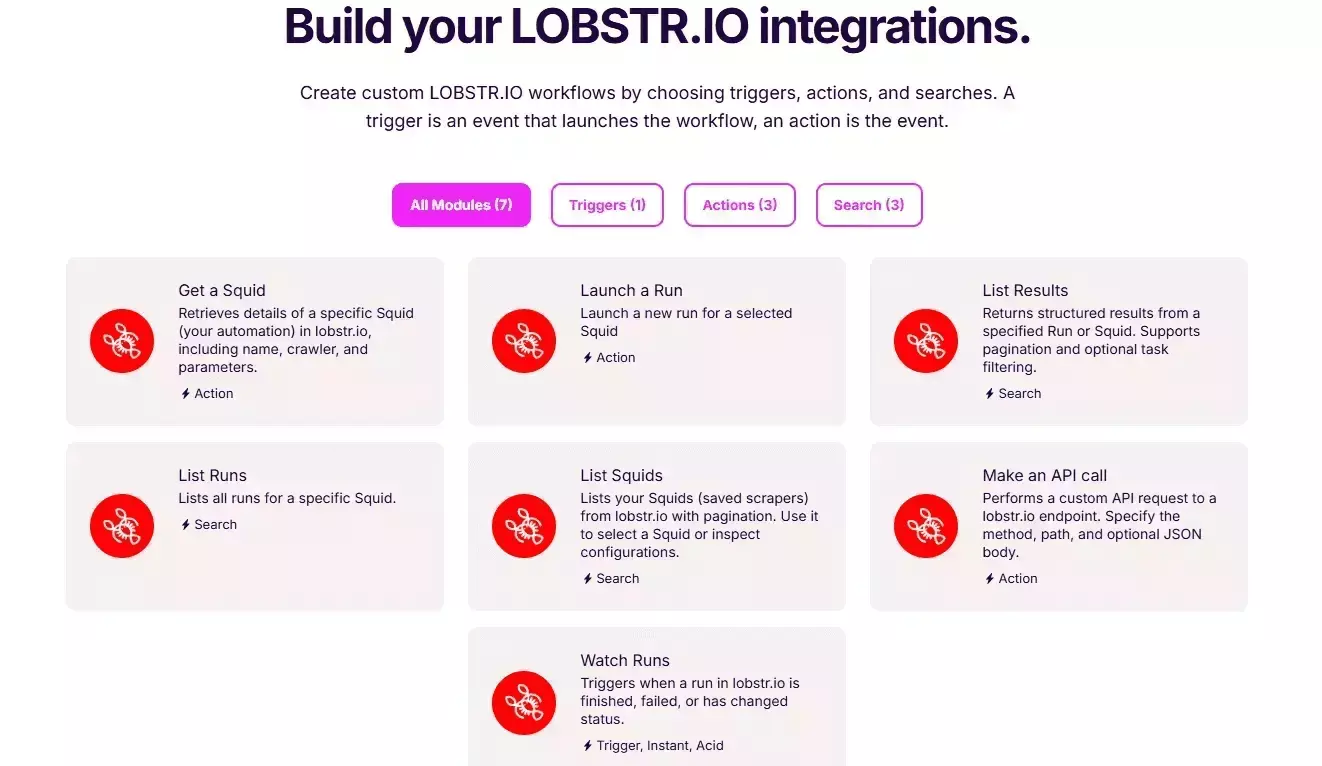
For more complex setups, Make.com integration opens the door to over 3,000 apps and services.
Scalability
Lobstr.io handles volume without friction.
You can upload a list of search URLs in bulk using a CSV or TXT file.
The stronger part is execution control.
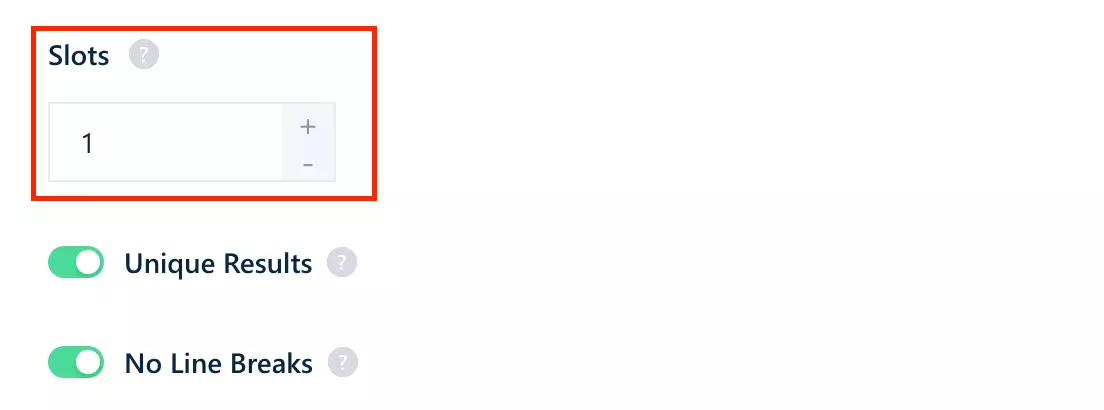
Lobstr.io includes a Slots setting, so you can increase concurrency and run multiple bots in parallel.
Speed
Lobstr.io pulled 100 results in 29 seconds.
That's roughly 0.29 seconds per result — essentially neck-and-neck with Apify, and much faster than WebAutomation.io.
If you want it faster, you can control it through Slots.
Each one adds an extra bot to the job, working through tasks simultaneously.
Customer support
Lobstr.io offers customer support through a live chat pop-up directly on the website.
It's one of the things users consistently highlight.
The support team is known for being quick to respond, technically capable, and actually useful.
2. Apify
| Pros | Cons |
|---|---|
| Fastest | Filter-based — one location per run |
| Widest export options (JSON, CSV, XML, Excel, HTML) | No bulk URL input |
| Cheapest at scale | Reliability issues at volume |
| Enabling Fetch Details makes it ~50x slower | |
| No concurrency control |
Key features
- Filter-based input: operation, property type, country, location
- 57 data fields including priceByArea, coordinates, and structured contact info
- Schedule recurring scrapes
- Cloud-based, no installation needed
- Export to CSV, Excel, JSON, XML, HTML, and more
- Integrates natively with Make, Zapier, and n8n
Data
Apify returns 57 fields per listing.
Here are all 57 fields:
| 🆔 propertyCode | 🖼️ thumbnail | 🏠 propertyType | 🔄 operation |
| 💰 price | 📐 size | 💵 priceByArea | 🛏️ rooms |
| 🚿 bathrooms | 🏢 floor | 🌅 exterior | 🛗 hasLift |
| 📍 address | 🏙️ municipality | 🌐 province | 🗺️ district |
| 🏘️ neighborhood | 🌍 country | 📌 latitude | 📌 longitude |
| 🔑 locationId | 📝 description | 🔗 url | 📊 status |
| 👤 contactInfo | 🏗️ detailedType | 🔖 externalReference | 📅 firstActivationDate |
| 🆕 newDevelopment | ✅ newDevelopmentFinished | 🏗️ newProperty | 📷 numPhotos |
| 🚗 parkingSpace | 📉 priceDropPercentage | 📉 priceDropValue | 💲 priceInfo |
| ⚙️ features | 🔄 has360 | 🏠 has3DTour | 📋 hasPlan |
| 🎨 hasStaging | 🎬 hasVideo | 📸 multimedia | 📝 suggestedTexts |
| 👁️ showAddress | 📅 dropDate | ❤️ favourite | 💬 highlightComment |
| 🏷️ labels | 🆕 newDevelopmentHighlight | ⭐ preferenceHighlight | 🎀 ribbons |
| 🔝 topHighlight | 🆕 topNewDevelopment | ➕ topPlus | ⚡ urgentVisualHighlight |
| 👁️ visualHighlight |
Two fields here you won't find in any other tool.
Here are the fields exclusive to Apify:
| 📉 priceDropPercentage | 📉 priceDropValue |
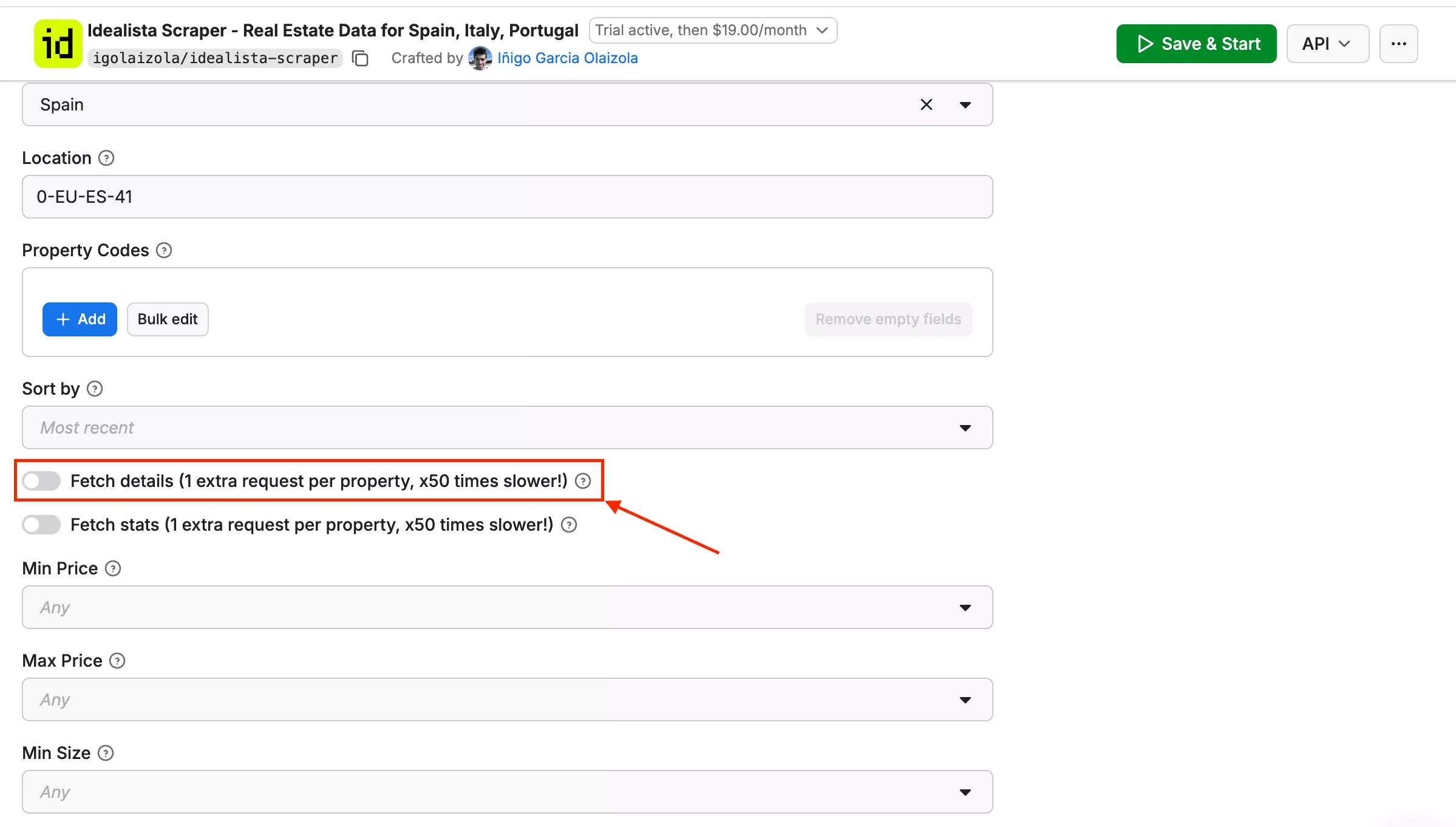
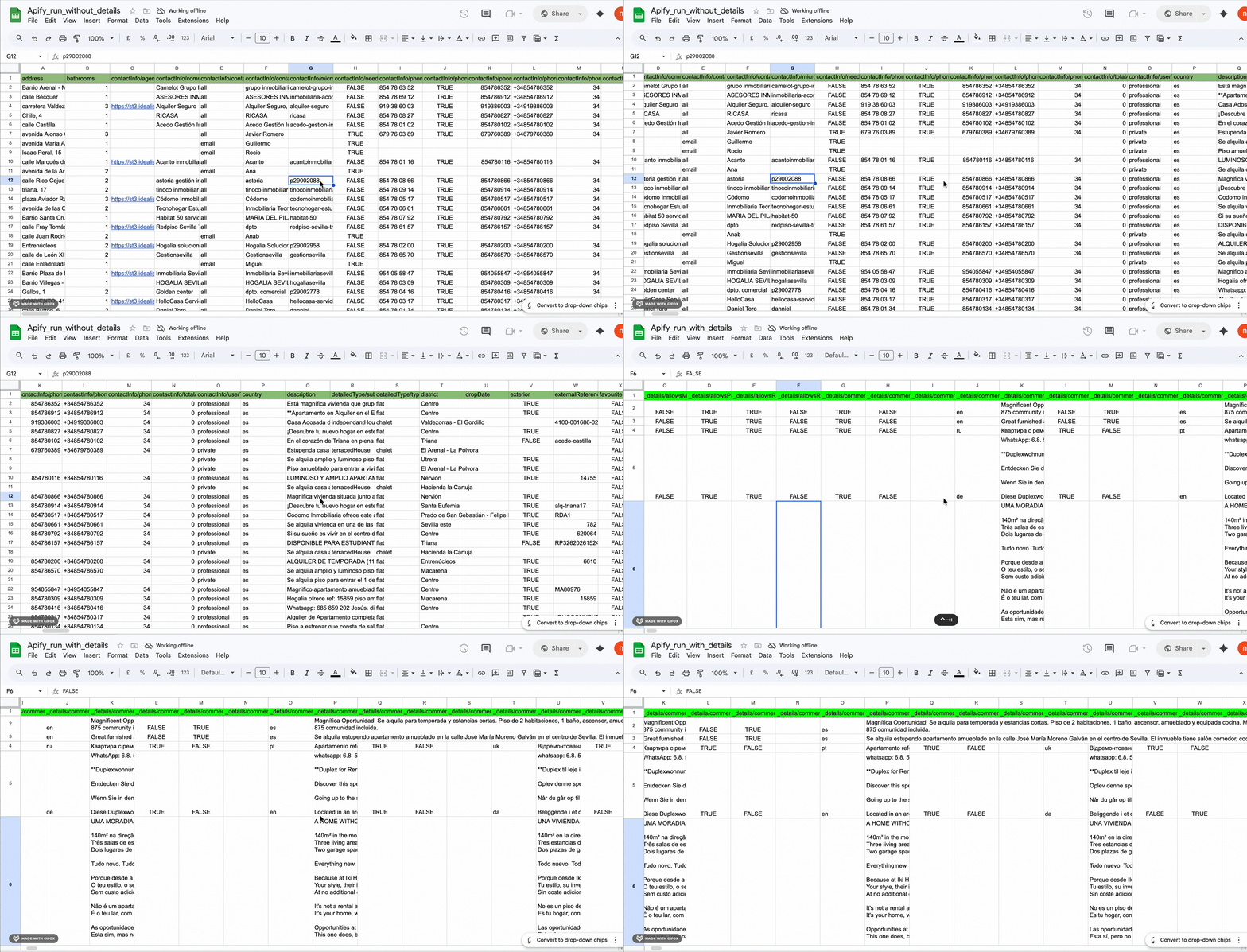
Apify also has a Fetch Details toggle — an optional setting that pulls additional property data from a second request.
Fetch Details adds depth, not just breadth.
Without it, the export returns 57 flat fields.
| 🆔 adid | 🤝 allowsCounterOffers | 🏦 allowsMortgageSimulator | ✅ allowsProfileQualification |
| 👍 allowsRecommendation | 🏠 allowsRemoteVisit | 💬 comments | 📞 contactInfo |
| 🌍 country | 🔗 detailWebLink | 🏷️ detailedType | ⚡ energyCertification |
| 🏠 extendedPropertyType | 🔄 has360VHS | 💬 highlightComment | 🏡 homeType |
| 🏷️ labels | 🔗 link | 📅 modificationDate | 📋 moreCharacteristics |
| 📸 multimedia | 🔄 operation | 💰 price | 💲 priceInfo |
| 💬 propertyComment | 🏠 propertyType | 💡 showSuggestedPrice | 📊 state |
| 📝 suggestedTexts | 📡 tracking | 🌐 translatedTexts | 📍 ubication |
If you need a clean flat CSV, use the base run. If you need energy certification, modification dates, or ubication data, enable it.
Price
Apify's pricing looks straightforward at first — but it isn't.
The actor costs $19/month as a flat rental fee. That part is clear.
But everything after that gets complicated.
On top of the $19/month, you pay for platform usage.
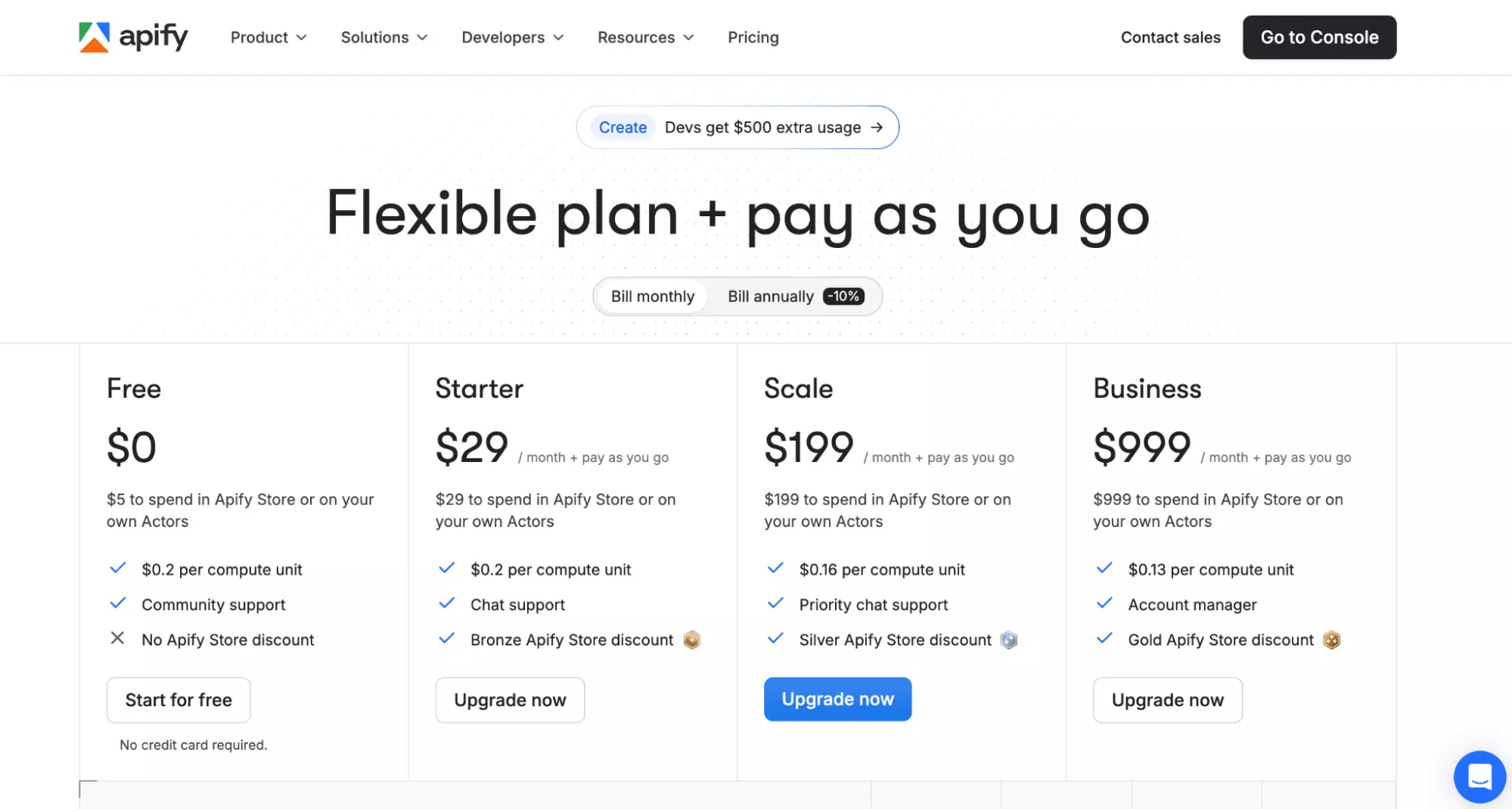
That cost depends on three variables that Apify doesn't spell out upfront:
- How much RAM your run needs
- How many compute units it consumes
- Whether you use residential or datacenter proxies
Each variable changes the final number. And none of them are predictable before your first run.
Based on a real test run of 1,000 results, the platform usage cost came to approximately $0.07.
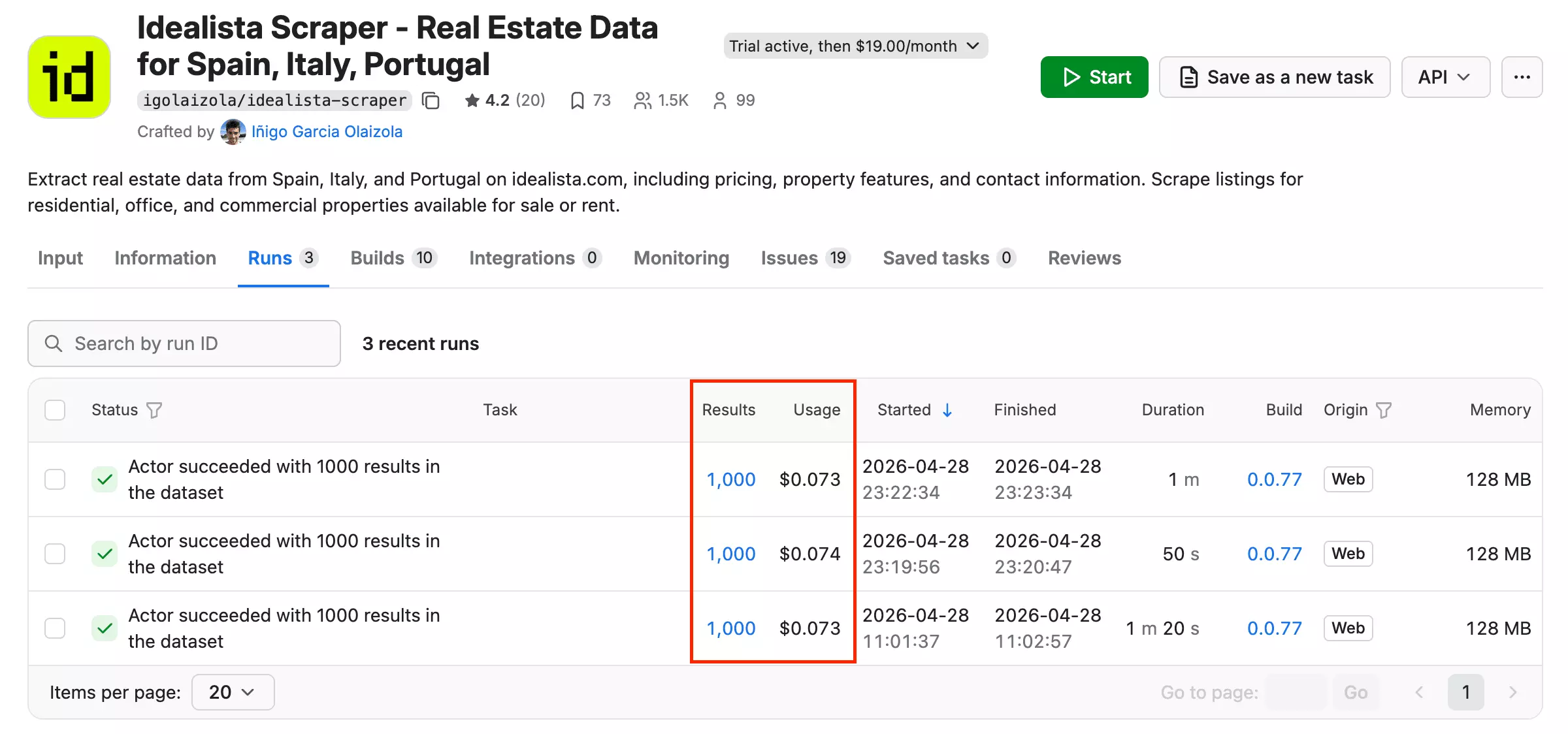
The $19/month actor rental is the real cost to account for. At low volumes, it dominates everything else.
Ease of use
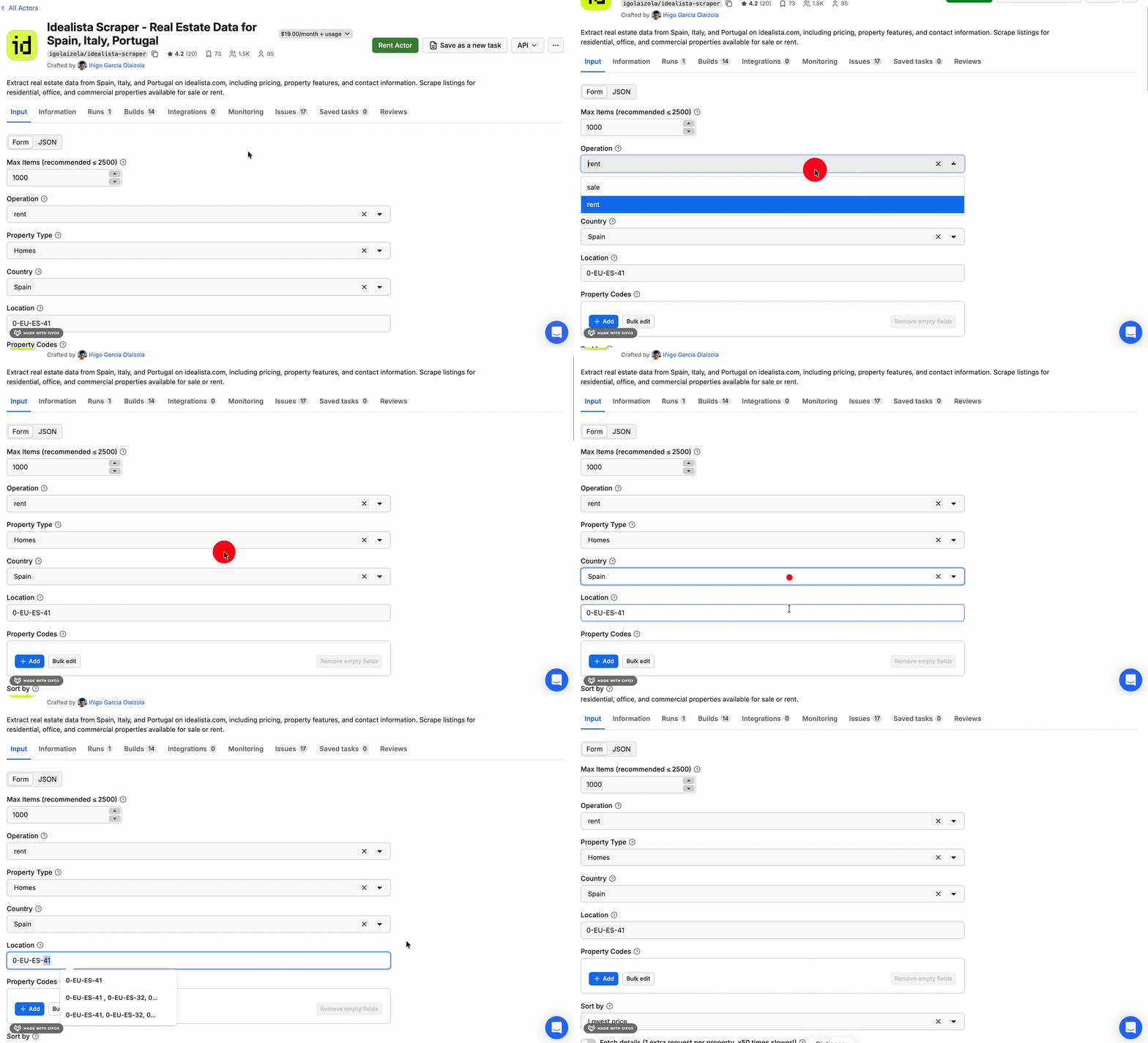
The workflow is filter-first: you're not pasting a URL, you're configuring a search from scratch.
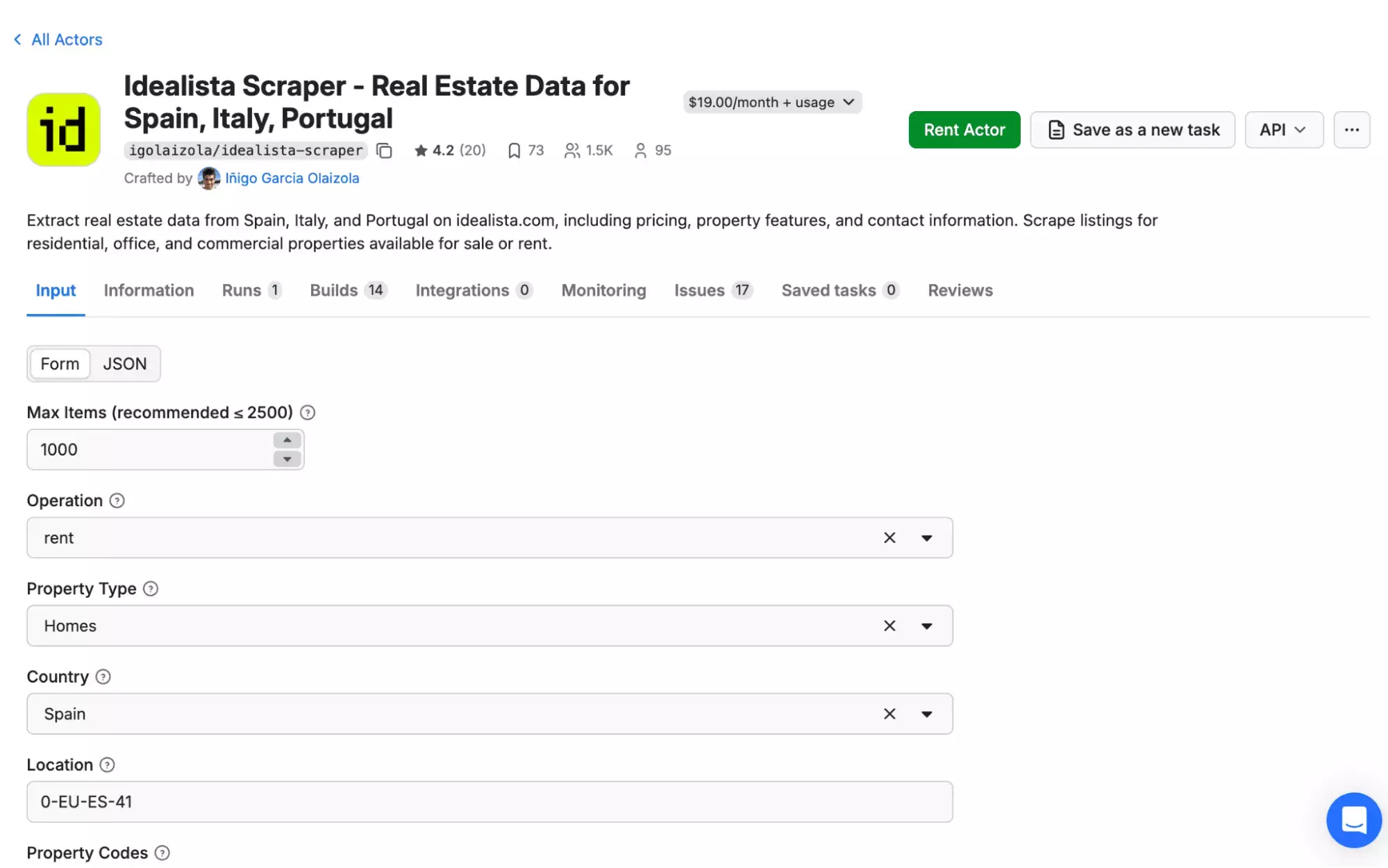
That means every decision has to be made upfront, starting from the very first field.
Operation, property type, country, location. Each one locked to a single choice.
And every different decision is a separate run.
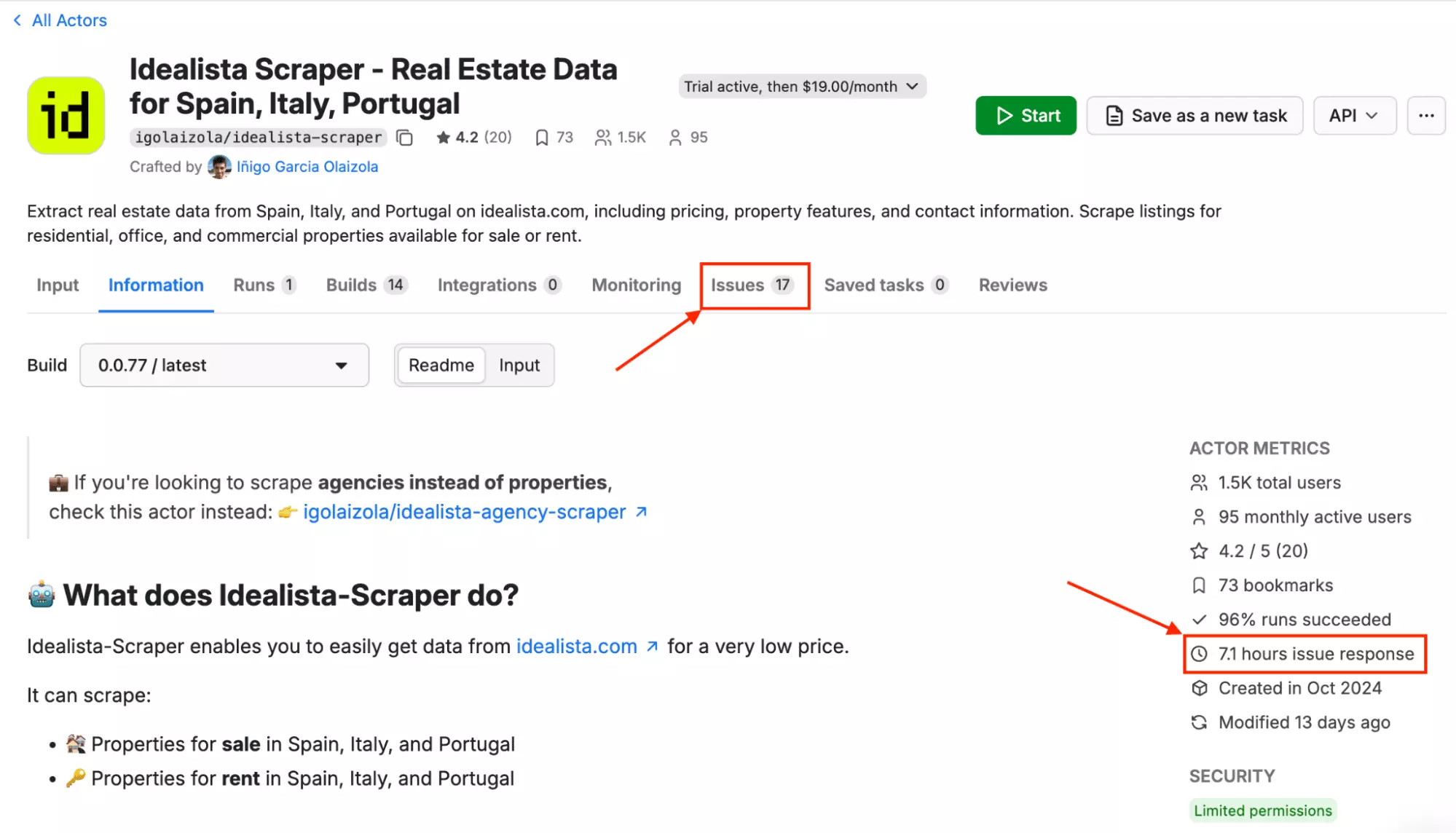
Users noticed this quickly.
So scraping Madrid, Seville, and Barcelona means three separate setups, three separate runs, three separate waits.
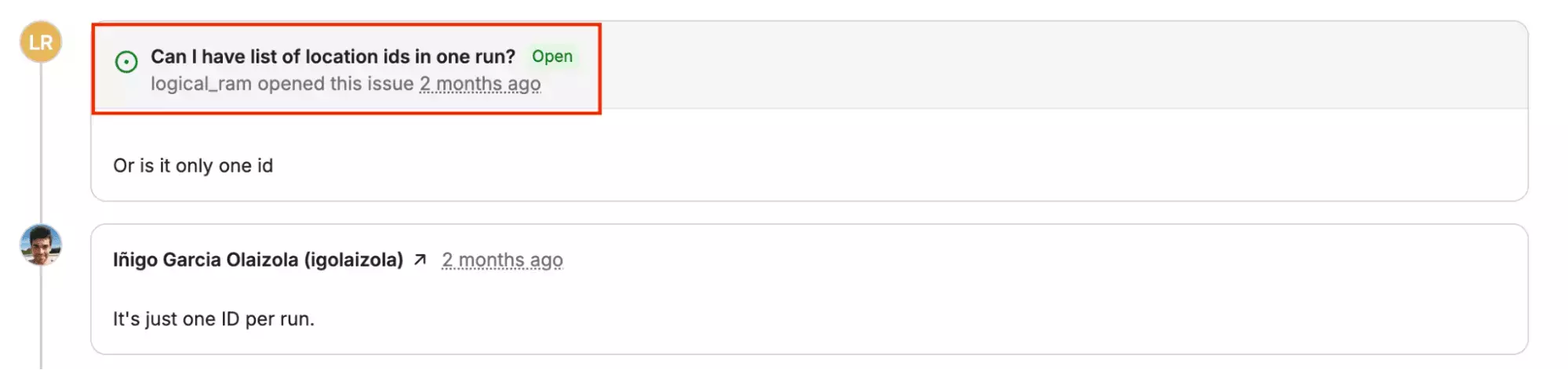
Good luck for anyone doing multi-city market research.
The amenity toggles follow the same logic, and this is where it gets genuinely limiting.
Each toggle is binary. On means only listings with that feature. Off means listings without it. There's no "get everything" option.
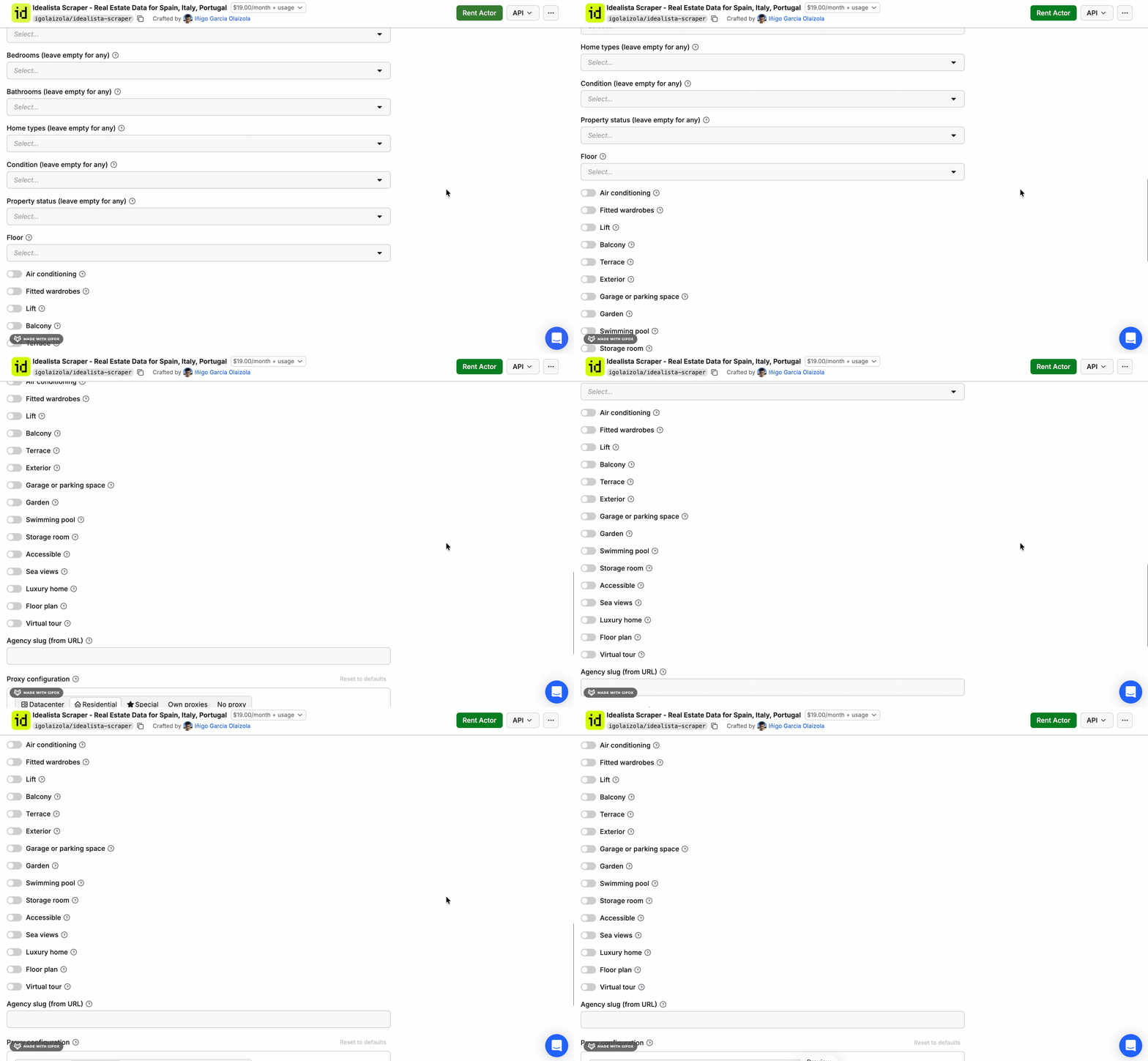
So a full market view (properties with and without a terrace, for example) is two runs.
With a URL-based scraper like lobstr.io or webautomation.io, you can do that in a single run.
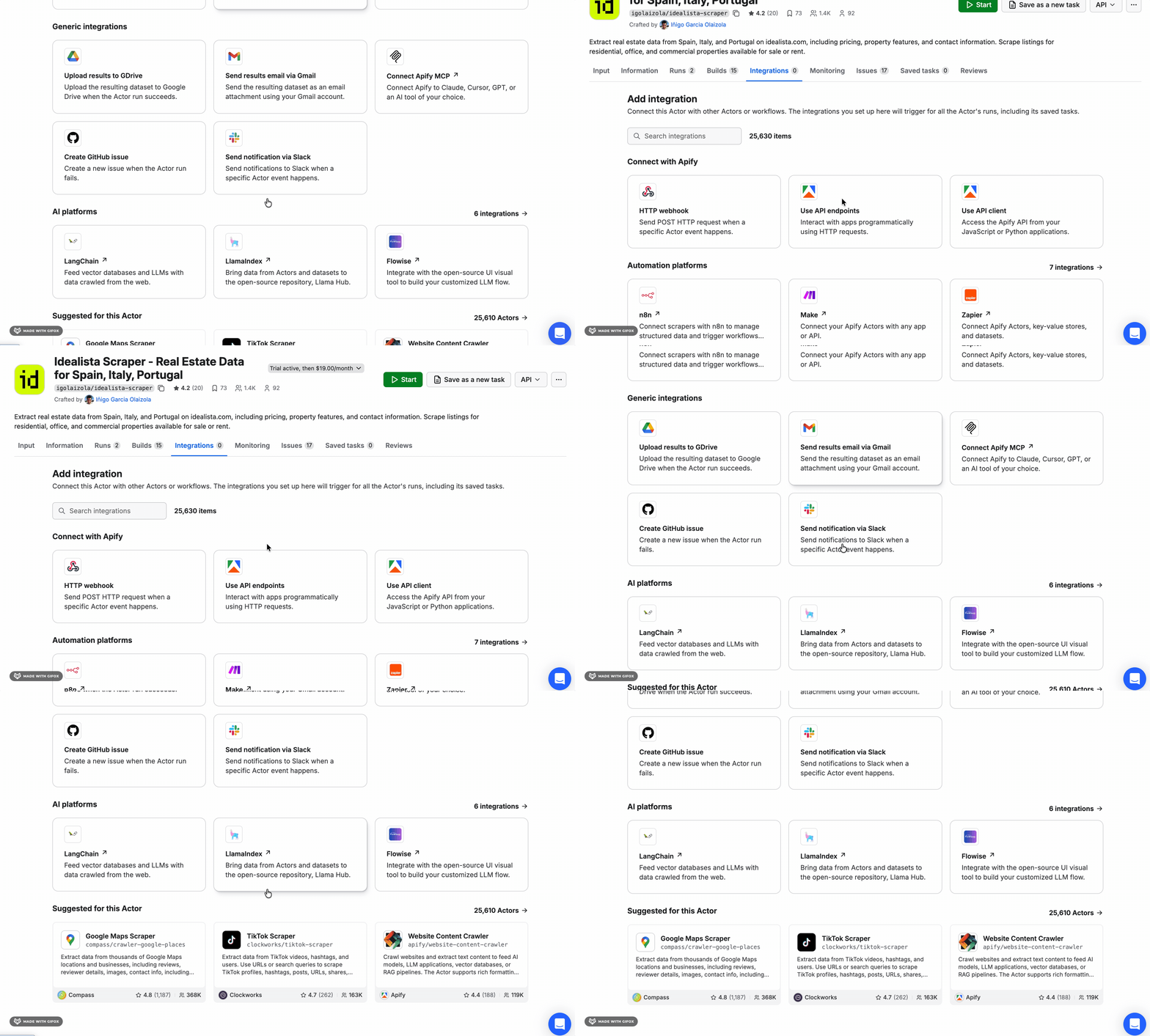
If there's one area where Apify clearly wins, it's export.
Results come out in JSON, CSV, XML, Excel, HTML, and more.
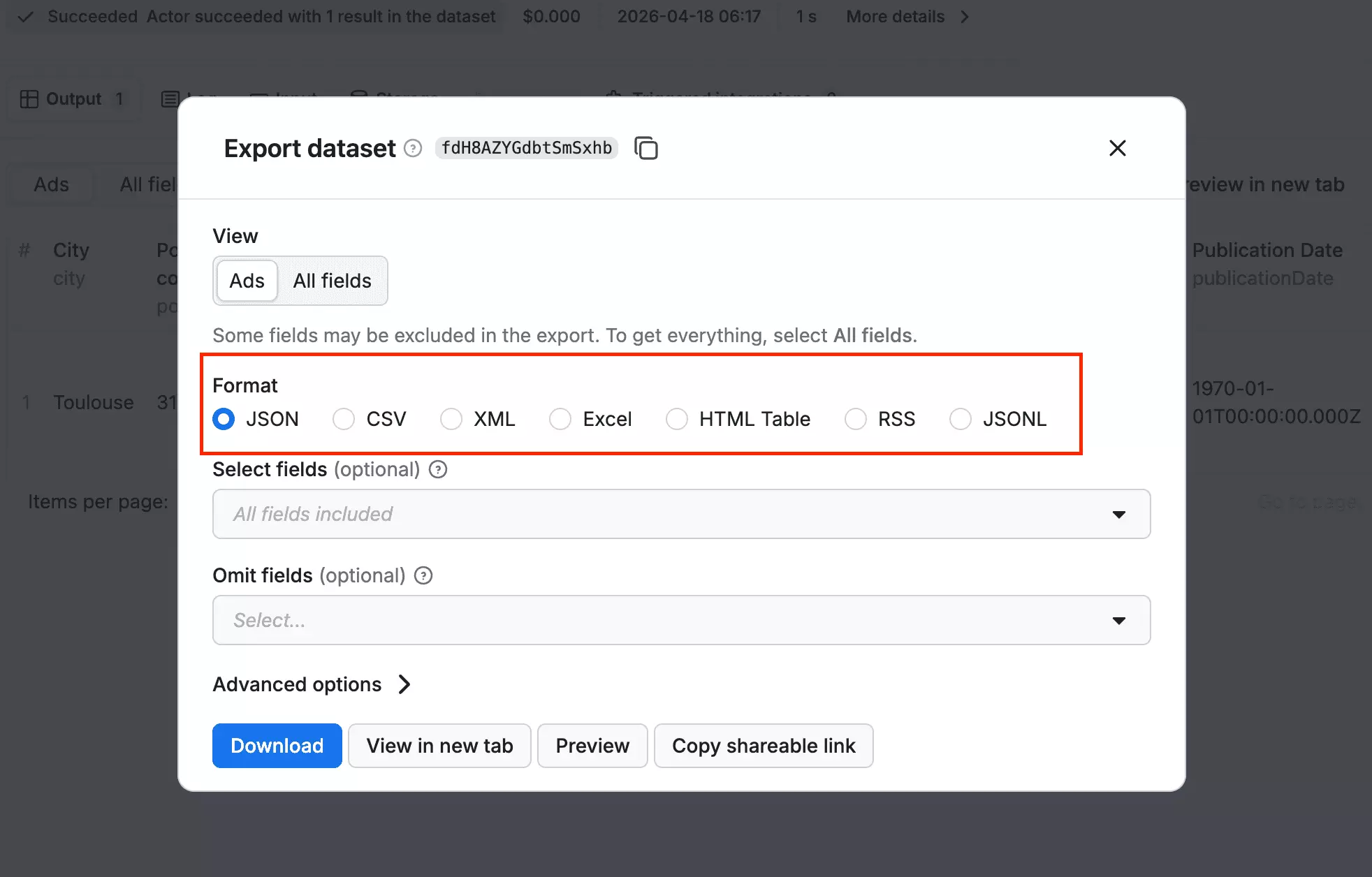
It also connects natively with automation platforms like Make, Zapier, and n8n, so plugging your data into a wider workflow is straightforward.
Scalability
Apify doesn't offer bulk URL input for this scraper.
Each run is configured individually: one location, one set of filters, one run.
There's also no visible concurrency, slots, or max threads setting inside the Actor input.
So you can't simply increase the number of parallel scraping bots from the scraper interface itself.
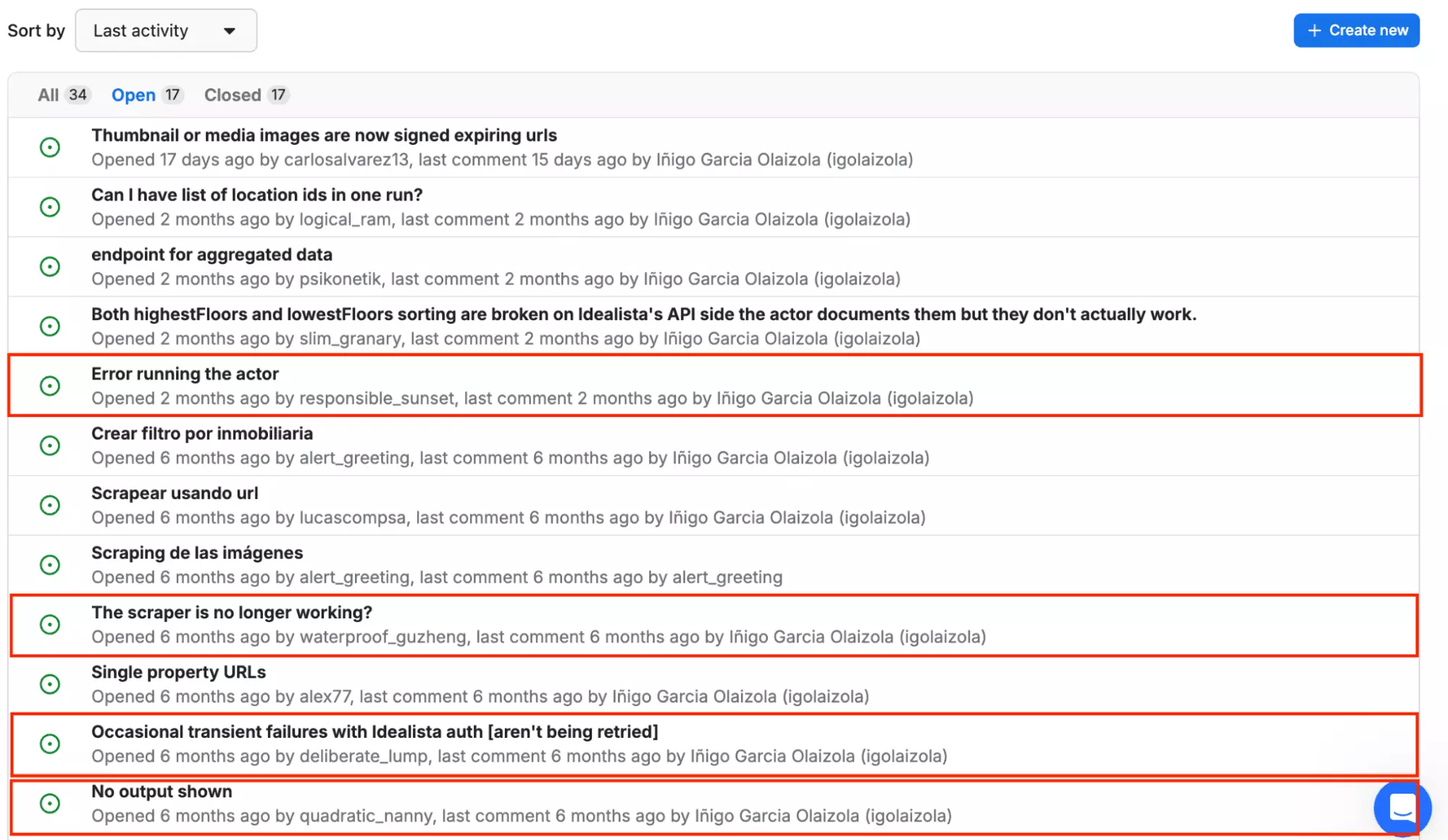
The bigger issue is that at volume, reliability becomes a concern.
The tool doesn't always behave predictably when you push it.
That's a risk if you're building an automated, repeatable workflow around it.
Speed
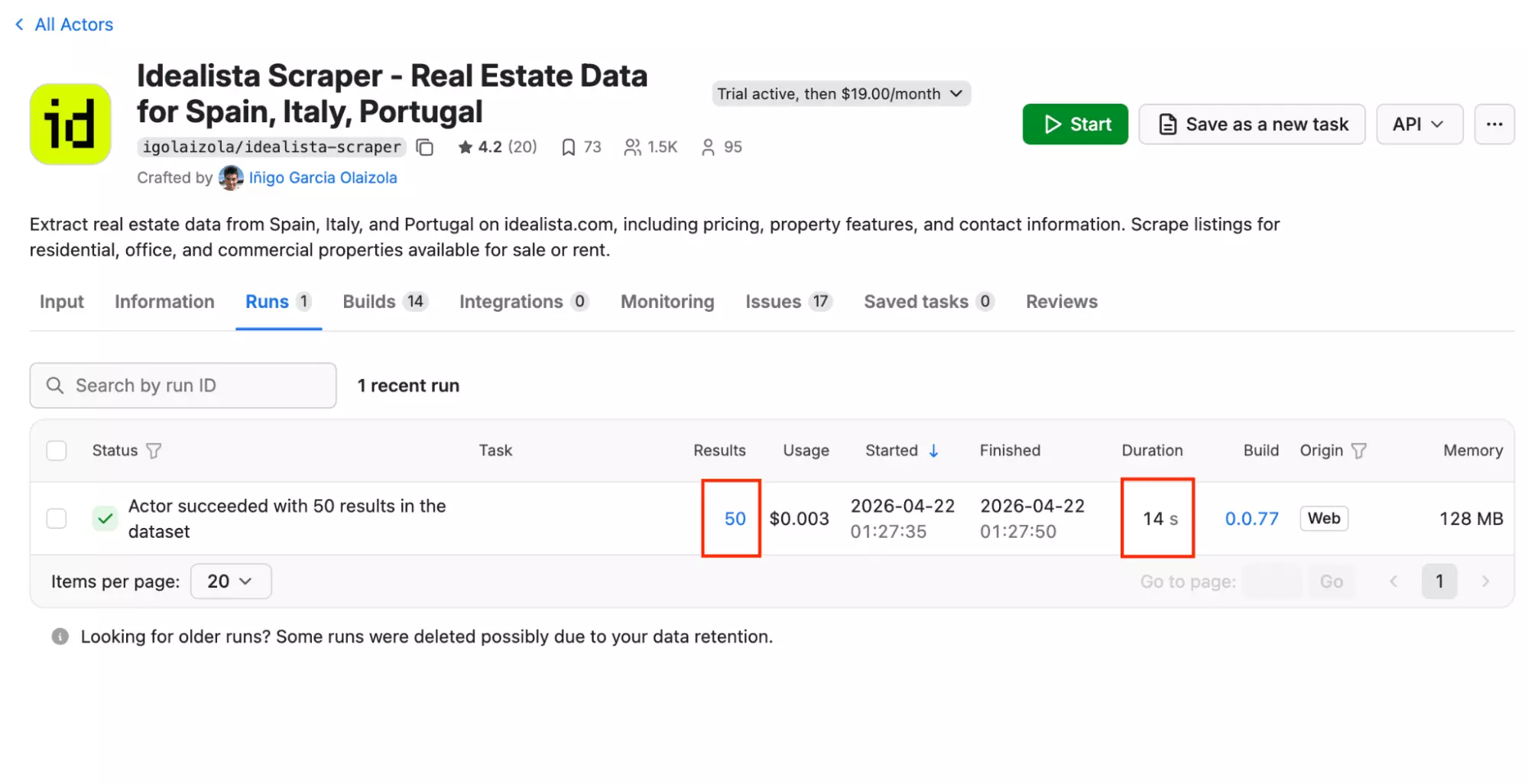
Apify pulled 50 results in 14 seconds — the fastest of the three tools tested.
That's roughly 0.28 seconds per result.
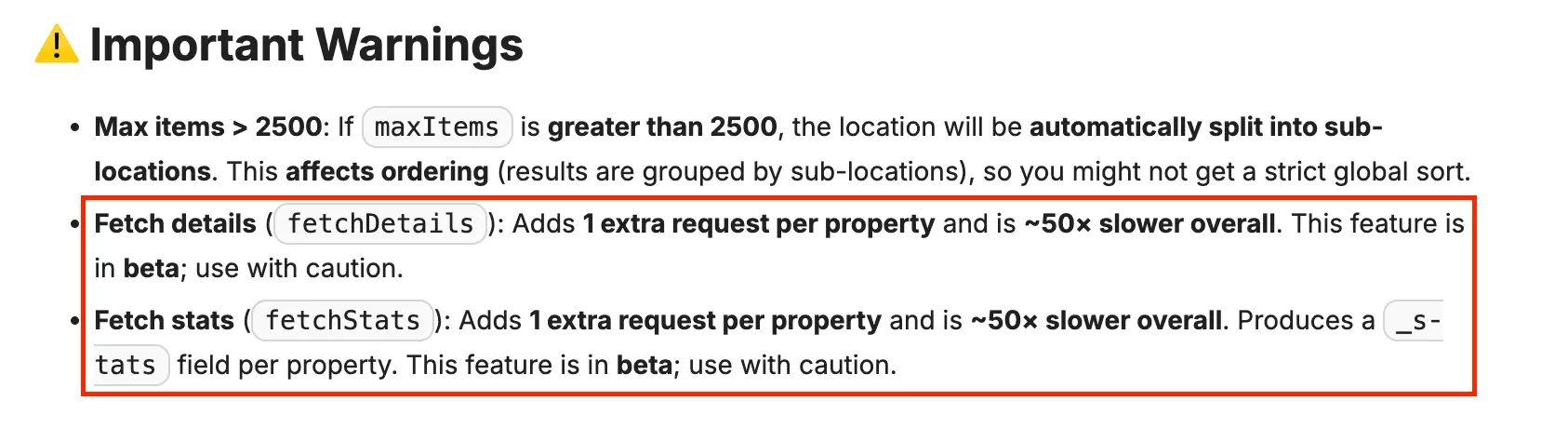
One important caveat: enabling Fetch Details or Fetch Stats adds one extra request per property.
That makes the actor approximately 50x slower overall. Both features are still in beta.
Customer support
Apify provides support through live chat, a ticketing system, and a community forum.
Worth knowing: if your issue is technical, skip the live chat.
Go straight to creating a ticket, or post directly in the actor's Issues tab.
3. WebAutomation.io
| Pros | Cons |
|---|---|
| Export in CSV, XML, and XLSX | Most expensive |
| Visual cron builder | Pay-as-you-go costs $50 per 1,000 results |
| Slowest | |
| No concurrency control |
Key features
- Scrape listings from your Idealista search URL
- 52 data fields — including Latitude, Longitude, Year Built, energy certificate, and rental rules
- only_new variable — limits to listings not previously collected
- refresh_found_links variable — forces re-scrape of previously seen URLs
- Proxy country selector
- Scheduling via visual cron builder (paid plans only)
- Bulk input via .txt file (50+ URLs)
- Cloud-based, no installation needed
- Export to CSV, XML, or XLSX
- Automated delivery to Google Sheets, Dropbox, Amazon S3, or MySQL
Data
WebAutomation.io delivers 52 fields per listing.
Here are all 52 fields:
| 🔗 starter_url | 📝 Basic_Description | 📄 Title | 🏠 House_Type |
| 💰 Price | 💵 PriceperSQM | 🖼️ image_main | 🖼️ image_extra |
| 📅 Year_Built | 🆔 Idealista_Reference | 👤 Advertiser_Name | 🏗️ condition |
| 🛏️ Bedrooms | 🚿 Bathrooms | 🛗 Lift | 🌿 Garden |
| 🏊 Swimming_Pool | 🌿 Terrace | 📐 Built_SQM | 🚗 Garage |
| 🌿 LandPlotSQM | 📅 Listing_Updated | 📍 Location | 📍 Sub_District |
| 📍 District | 🏙️ Town | 🌐 Region | 🗺️ GMapLink |
| 📝 Detailed_Description | 🆔 Advertiser_Reference | 📞 Advertiser_Tel | 👤 AdvertiserOwnerType |
| 📅 calendar | 🐾 pets | 👫 couples | 👶 minors |
| 🚬 smokers | 📋 basic_characteristics | 🏢 Building | ⚡ energy_certificate |
| 🔍 looking_for | 🏠 characteristicsofthehouse | 🛏️ room_features | 👥 your_companions |
| 🗺️ Estimated_Map | 🌐 Latitude | 🌐 Longitude | 🔑 itemKey |
| 💸 transfer_cost | 🔗 url | 🏢 Floor | ⏱️ timestamp |
Several of these fields you won't find in any other tool here.
WebAutomation.io is the only one that returns a Google Maps link, Year Built, and land plot size.
It also returns rental-specific rules — pets, couples, and minors — that neither other tool covers.
That last group is particularly useful for anyone in the rental market.
Here are the fields exclusive to WebAutomation.io:
| 🗺️ GMapLink | 📅 Year_Built | ⚡ energy_certificate | 🌿 LandPlotSQM |
| 🏢 Building | 🐾 pets | 👫 couples | 👶 minors |
| 🚬 smokers | 👥 your_companions | 🔍 looking_for | 🏠 characteristicsofthehouse |
| 🛏️ room_features | 📋 basic_characteristics | 👤 Advertiser_Name | 👤 AdvertiserOwnerType |
| 🆔 Advertiser_Reference | 💸 transfer_cost | 📍 Sub_District | 📍 District |
| 🏙️ Town | 🌐 Region | 🗺️ Estimated_Map | 🆔 Idealista_Reference |
| 📅 Listing_Updated | 🖼️ image_extra |
One thing worth noting: the output is flat and immediately usable, no JSON parsing required.
Price
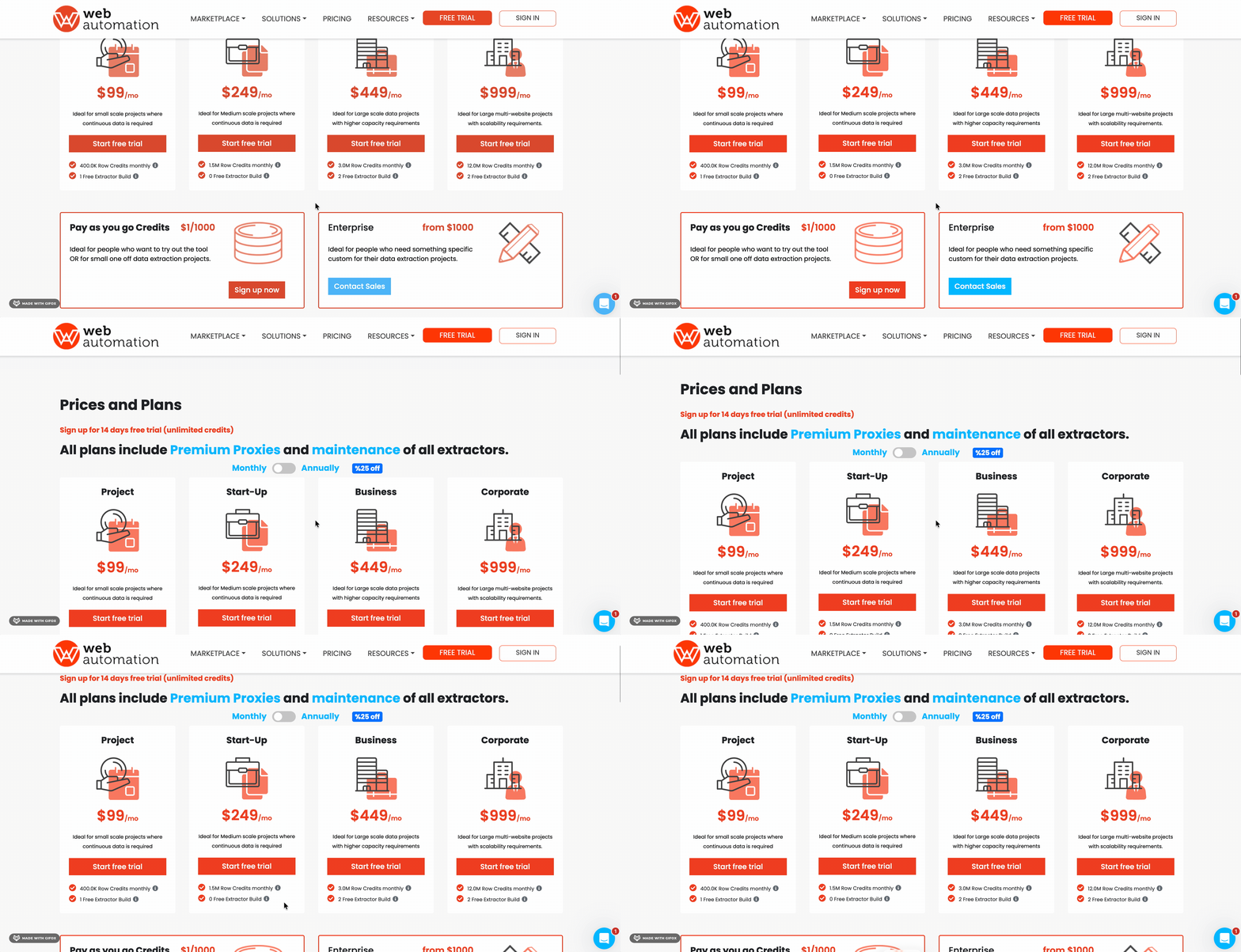
WebAutomation.io runs on a credit-based subscription model.
Plans start at $99/month and scale up to $999/month, each offering a monthly allowance of row credits.
- Free trial available on all plans
- $12.38 per 1,000 results on the Project plan
- Drops to $7.48 per 1,000 results on the Business plan
Worth knowing: WebAutomation.io is credit-based. This Idealista extractor costs 50 credits per row.
Pay-as-you-go credits are also available at $1 per 1,000 credits, which works out to $50 per 1,000 results at 50 credits per row.
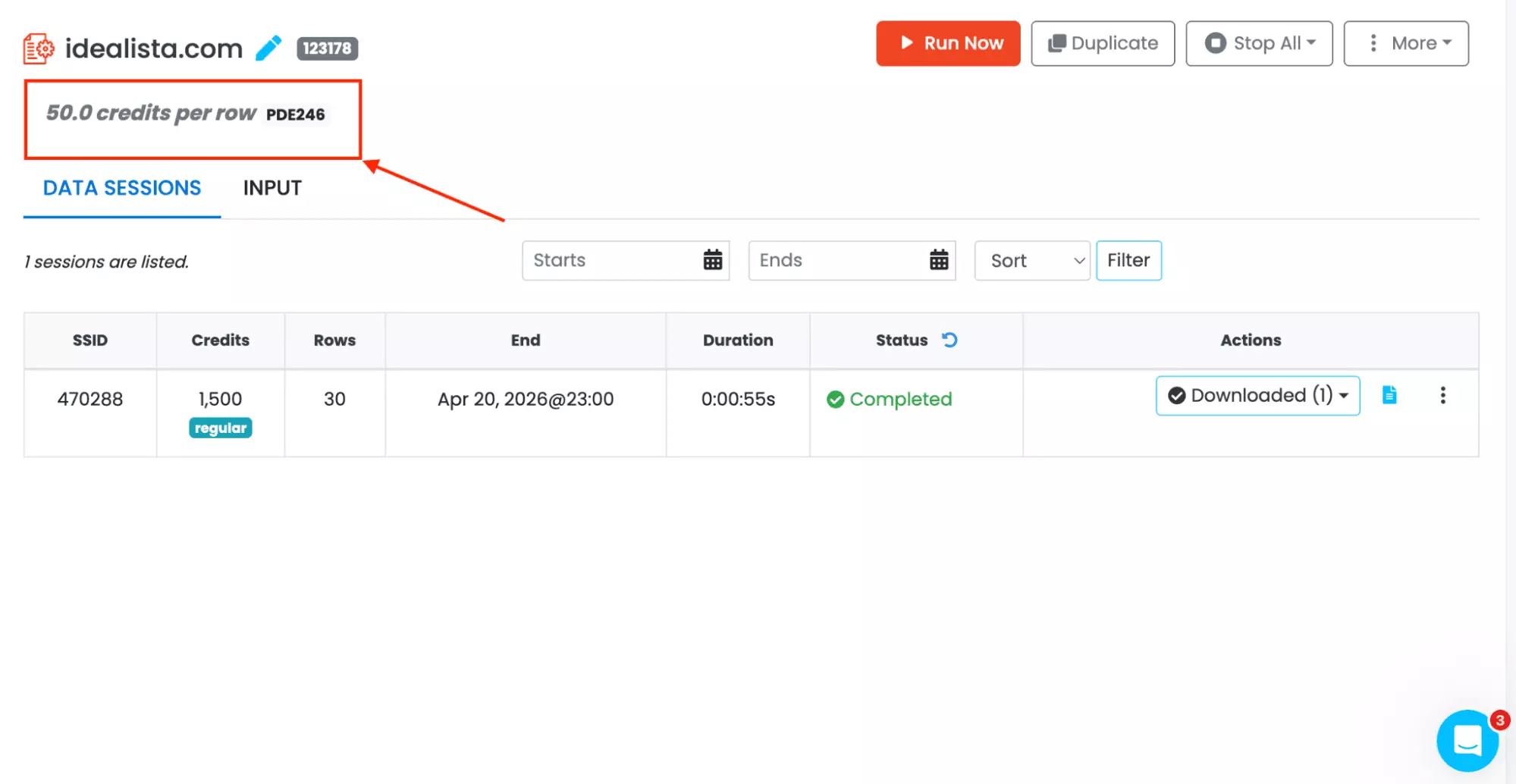
Now that's really expensive.
Ease of use
The dashboard is about as minimal as it gets.
The workflow is URL-first. The input panel has a small number of fields.
You set a row limit, paste your Idealista search URL into the Starter Links box, and run.
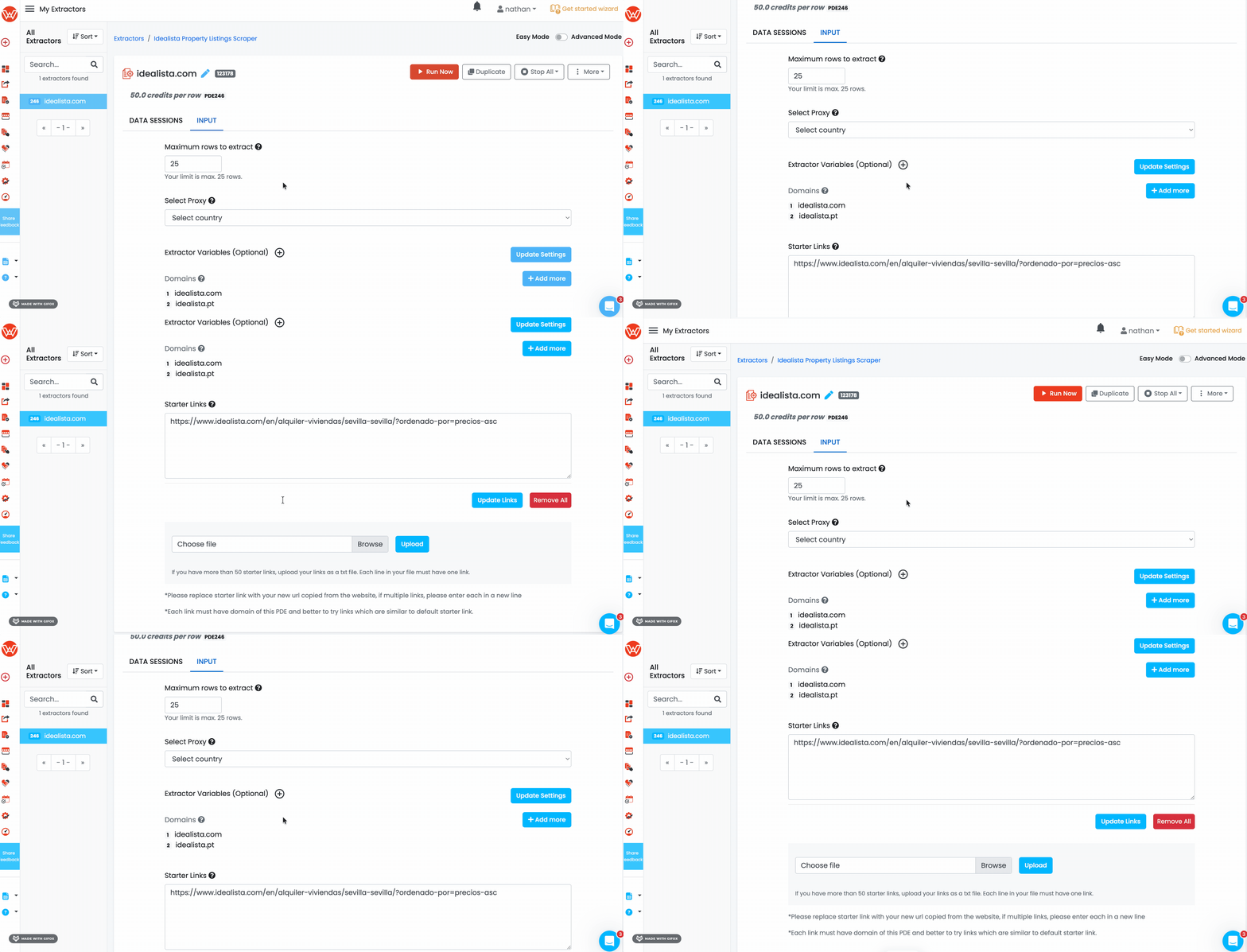
There is an optional Extractor Variables section, which handles two useful behaviours:
- only_new — limits extraction to listings that haven't been collected before
- refresh_found_links — forces a re-scrape of previously seen URLs
Both are genuinely useful for anyone running the scraper on a recurring basis rather than as a one-off.
The Domains field lets you add multiple Idealista markets in one extractor. idealista.com, idealista.pt, and more — as long as the page template is the same.
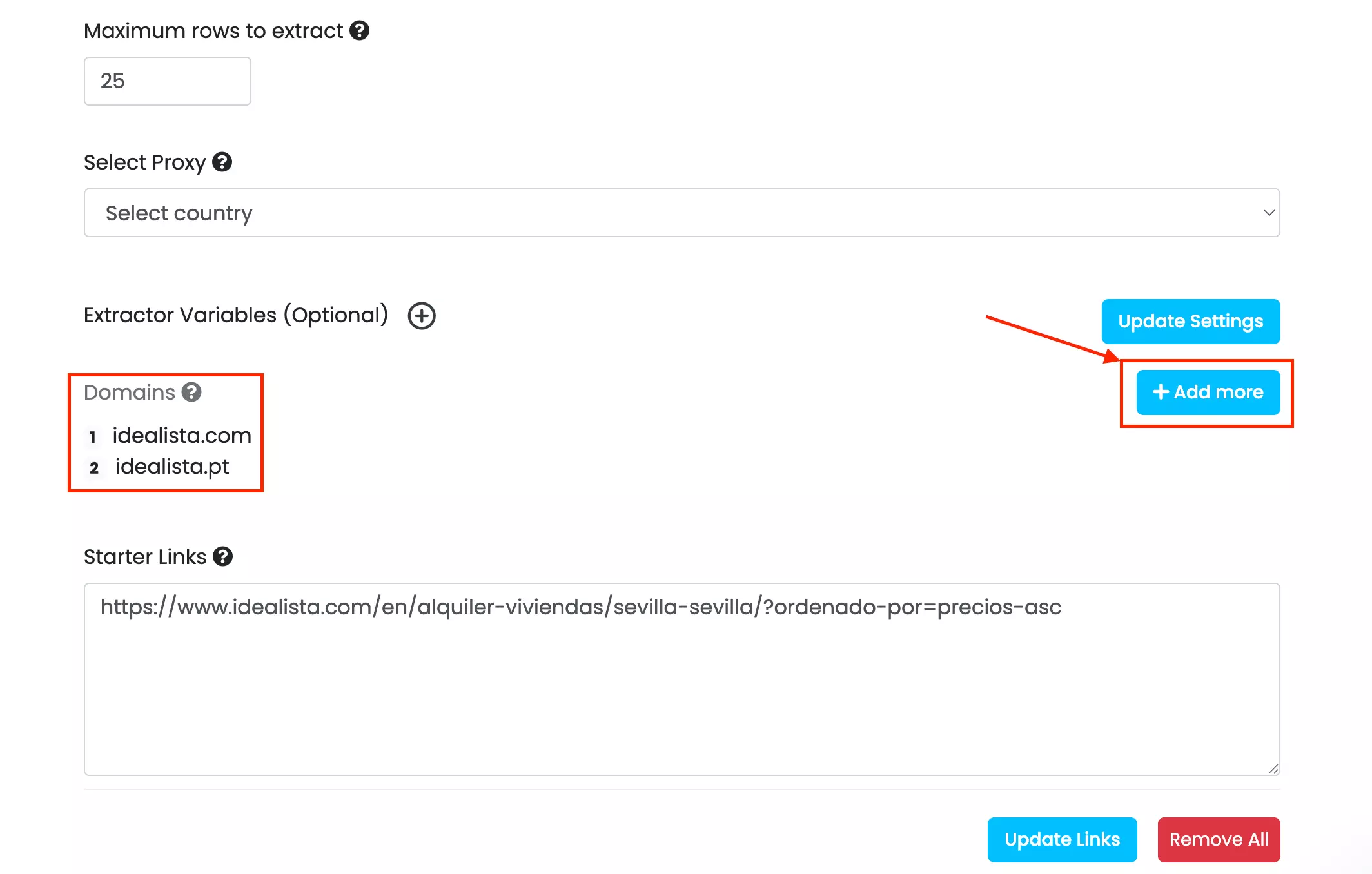
In practice though, this adds a layer of configuration that isn't immediately intuitive.
Scheduling is also available.
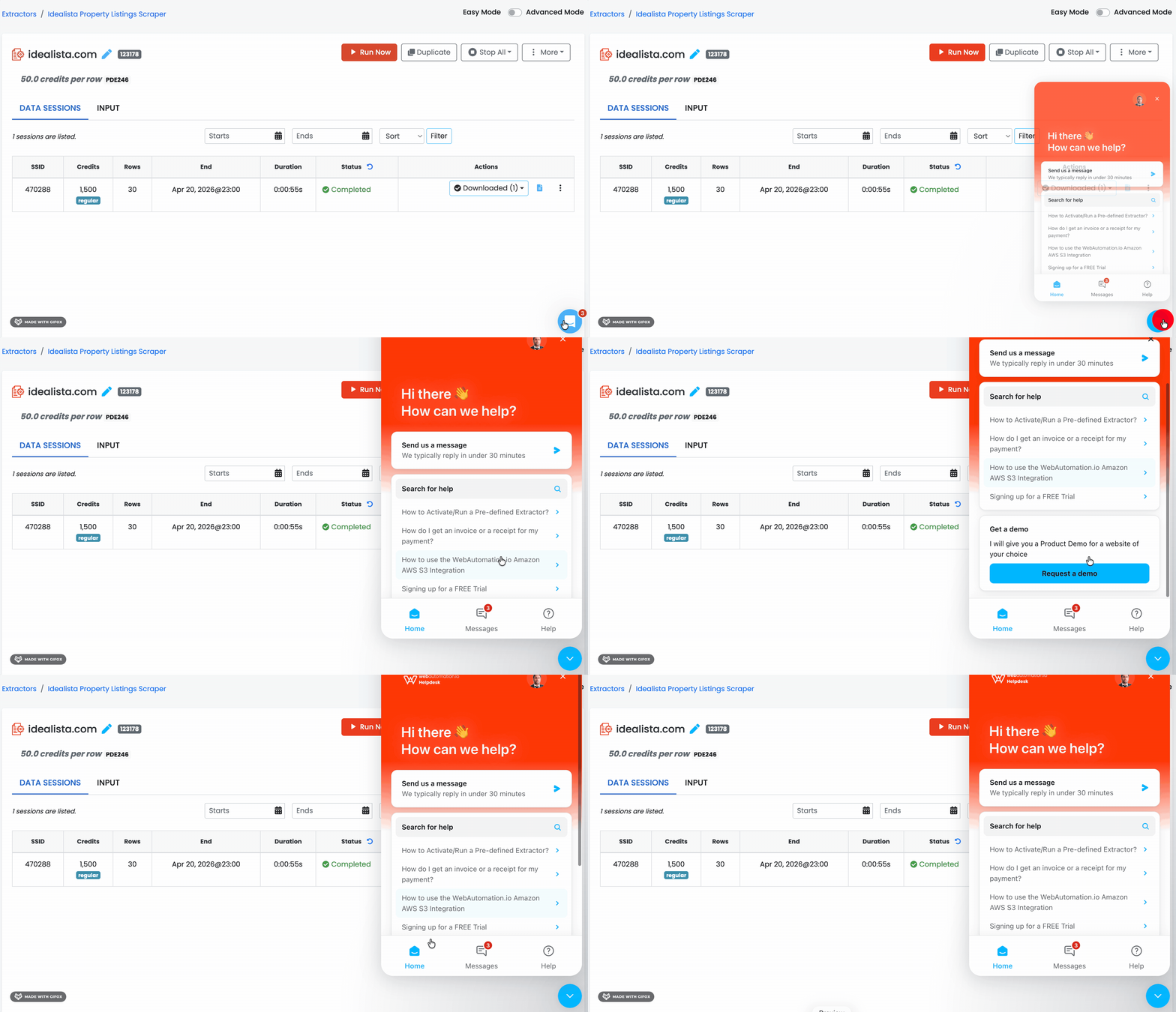
To be honest, I didn't find it easily. The chat interface surfaced a help article that pointed me to it.
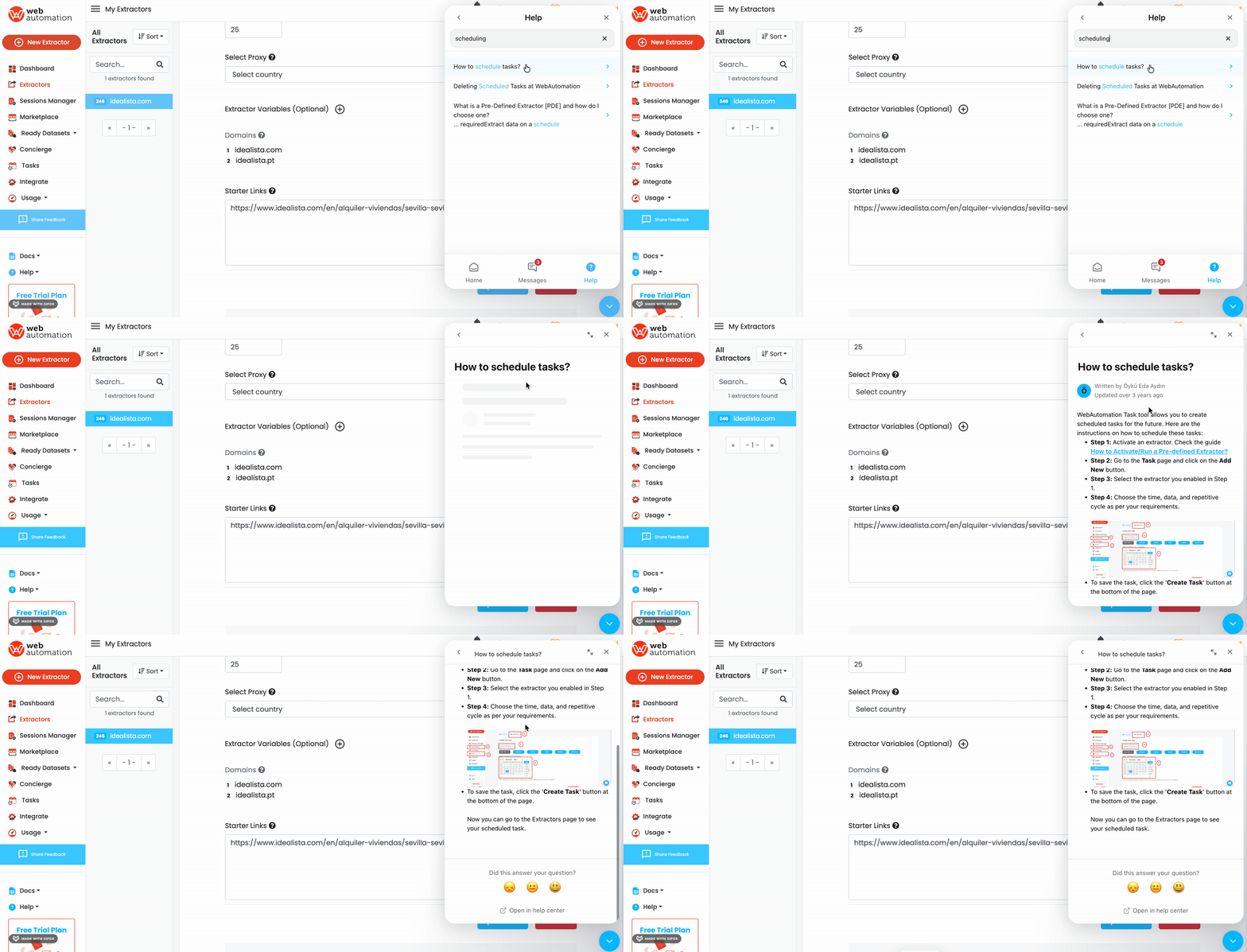
Once I found it, it was actually really cool.
The scheduling interface uses plain-language frequency buttons: One-Off, Minute, Hourly, Daily, Weekly, Monthly. Each expands into specific intervals below it.
It is essentially a visual cron builder, stripped of all the technical syntax. No asterisks, no expressions, no documentation needed.
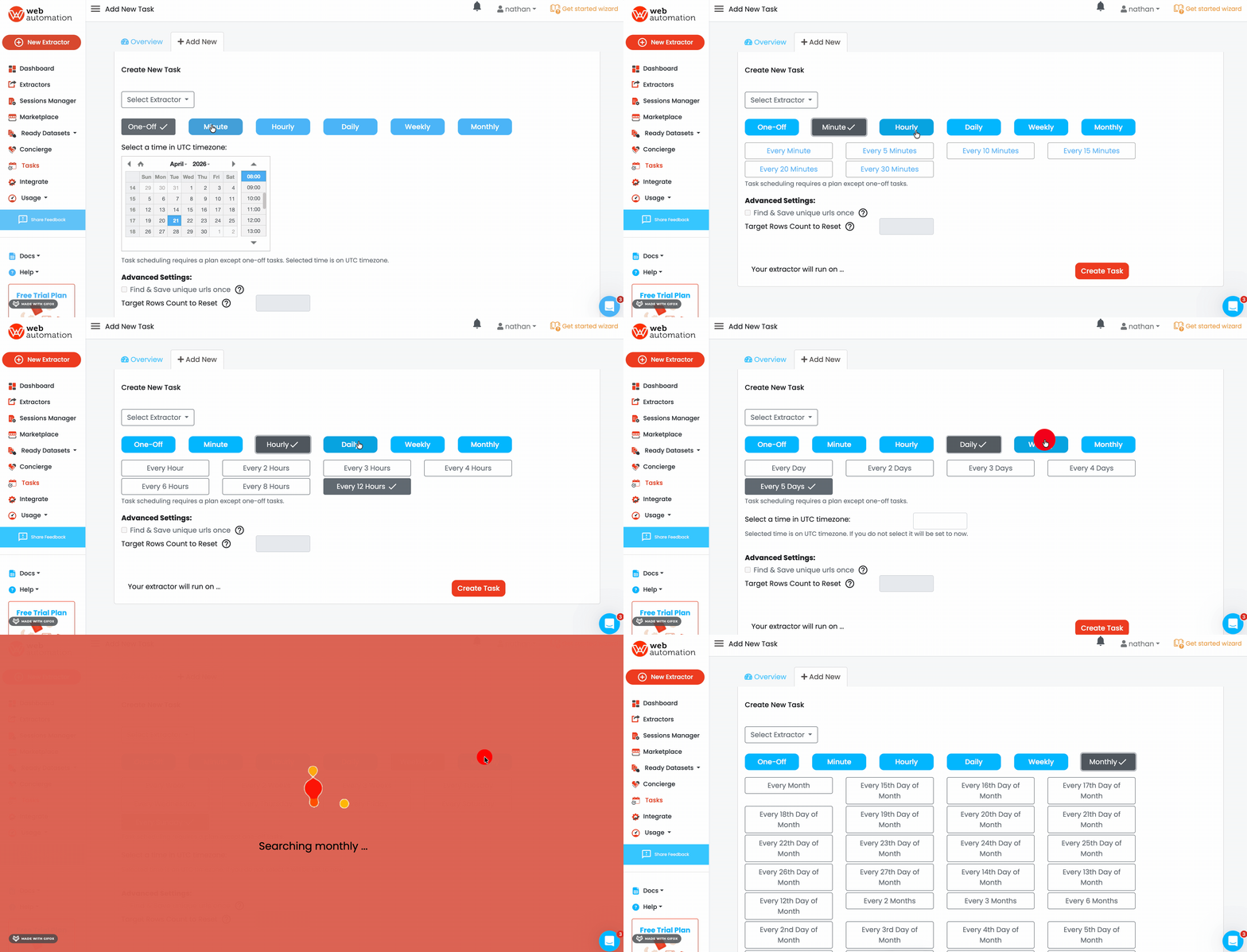
One thing to note: scheduling requires a paid plan. One-Off runs are the only option on the free tier.
When you're done, data exports in CSV, XML, XLSX, and more.
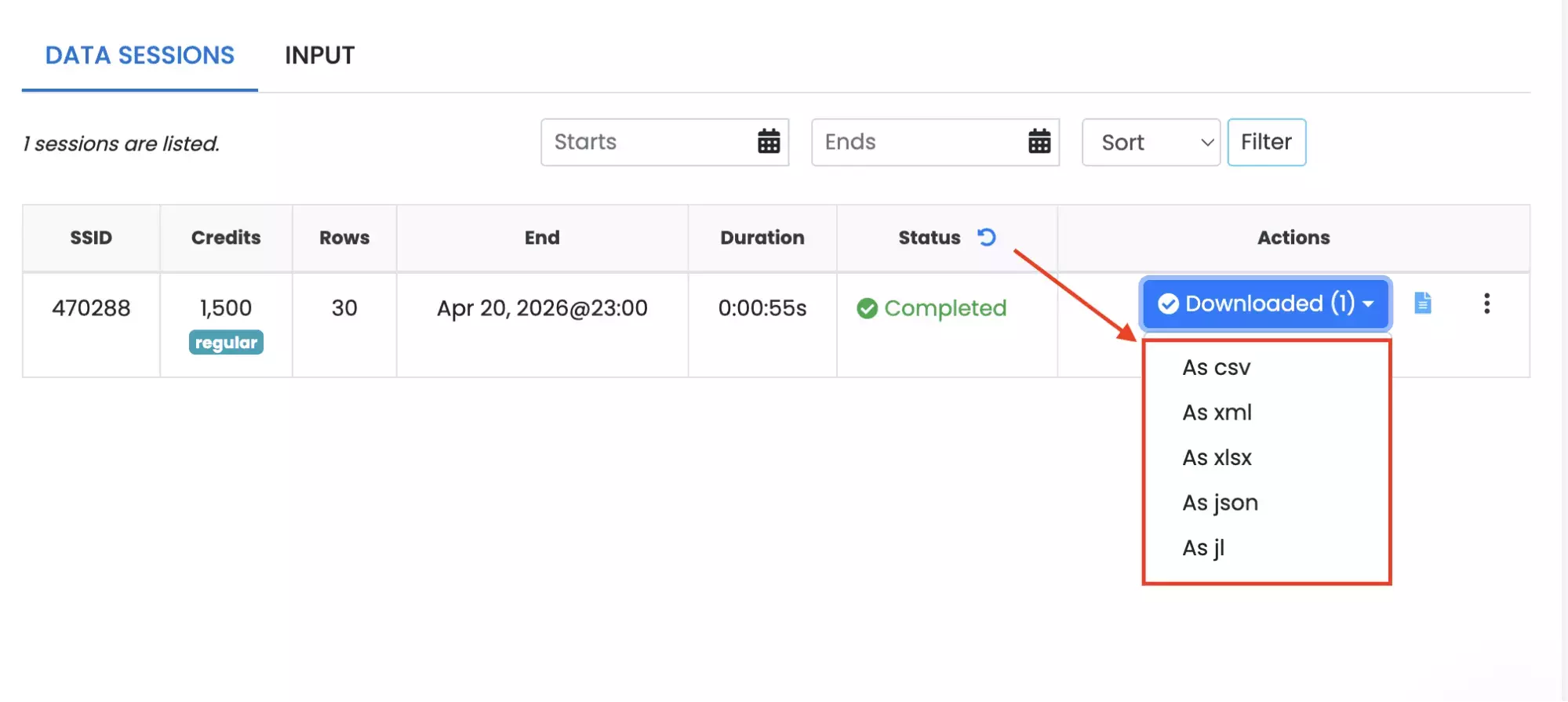
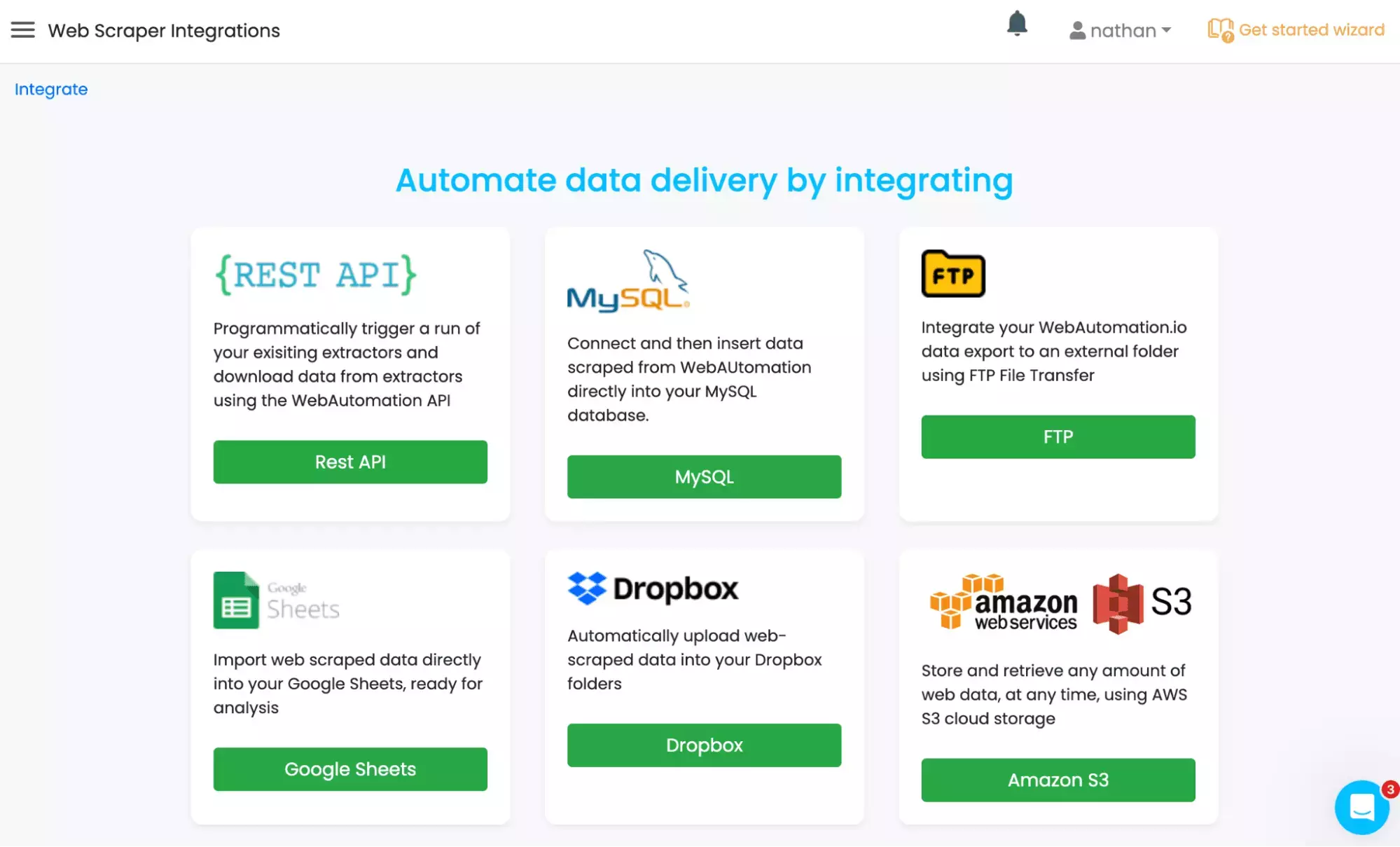
Automated delivery is also available directly to Google Sheets, Dropbox, Amazon S3, MySQL, or trigger runs via REST API.
Scalability
WebAutomation.io handles volume mainly through bulk URL input.
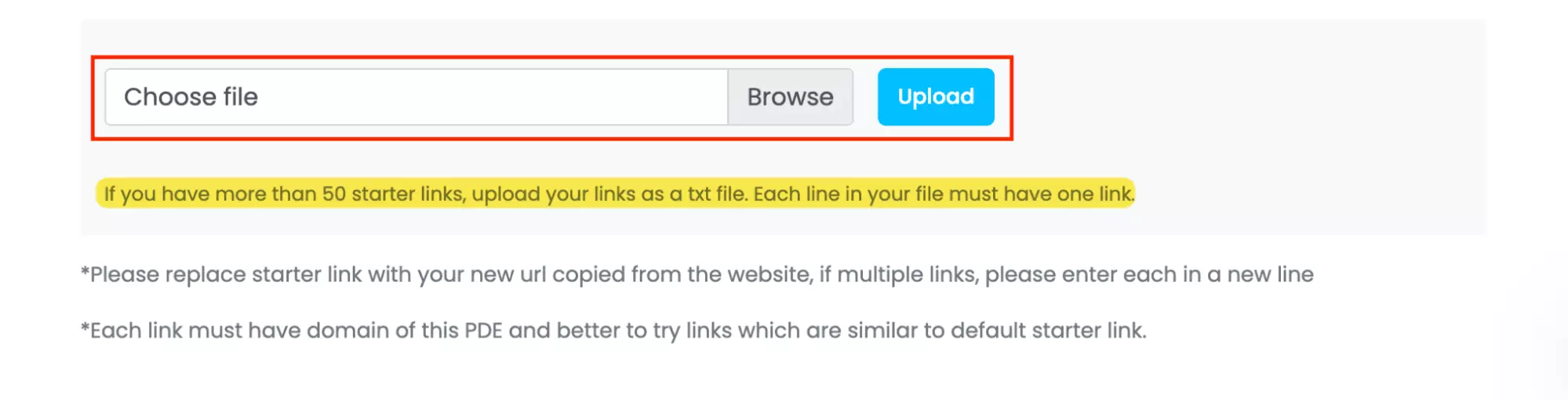
For multi-city or multi-filter research, that saves meaningful time.
You're not configuring each run manually.
The limitation is execution control.
There's no visible concurrency, slots, or parallel bot setting, so you can upload many URLs, but you can't directly control how aggressively the scraper processes them.
Speed
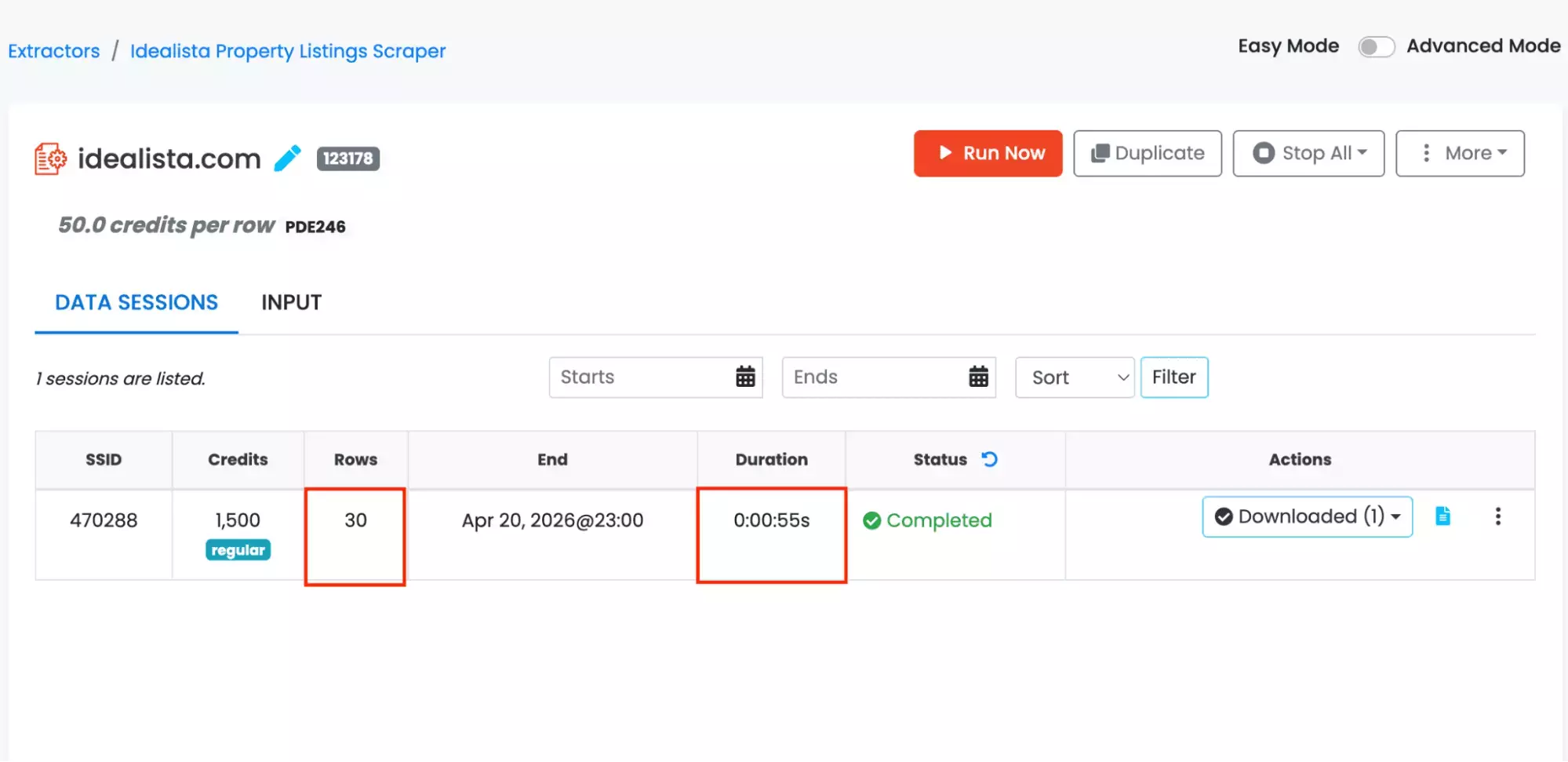
WebAutomation.io pulled 30 results in 55 seconds.
That's roughly 1.8 seconds per result.
Customer support
WebAutomation.io offers support through a live chat pop-up directly on the platform.
The chat also surfaces relevant help articles directly, so common questions get answered before you even send a message.
FAQ
Should I build my own Idealista scraper or use a ready-made tool?
For most people, a ready-made tool is the smarter choice.
Building your own means managing proxies, browser fingerprinting, session handling, and constant maintenance as Idealista evolves. That's months of work before you get anything reliable.
A no-code tool skips the engineering entirely. You get straight to the data.
Won't a ready-made scraper break every time Idealista updates?
A good provider monitors for breaks and pushes fixes. With a DIY scraper, every update is your problem, and it often takes days to diagnose.
Can I scrape Idealista listings from multiple cities?
With lobstr.io and WebAutomation.io, yes. Both are URL-first. Your search scope carries over automatically, and you can upload multiple URLs in bulk.
With Apify, effectively no. Each run is locked to a single location. Scraping Madrid, Seville, and Barcelona means three separate setups and three separate runs.